
Quick Answer: How do you build a retail marketing strategy around a store visit?
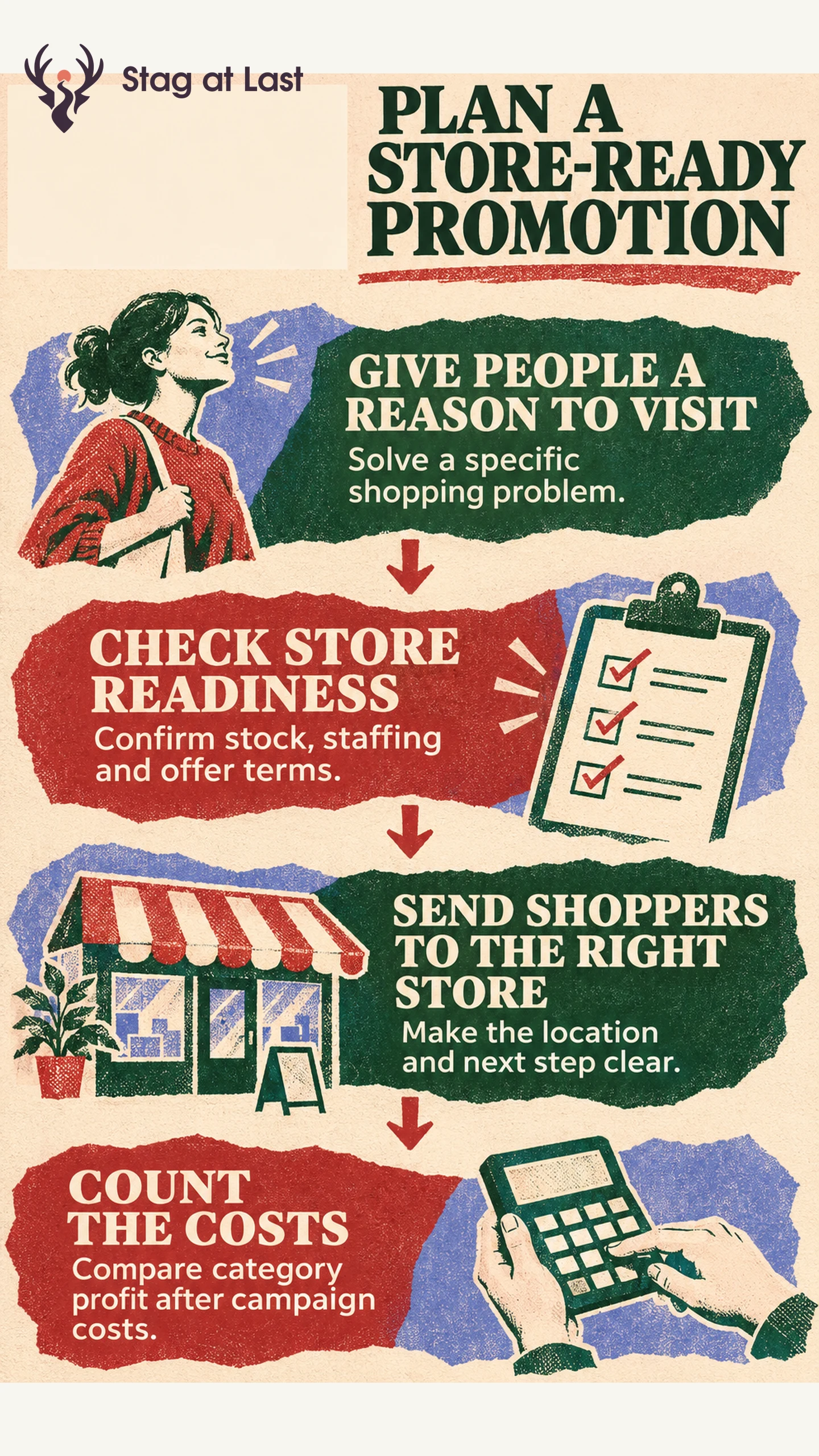
A retail marketing strategy gives a defined group of shoppers a reason to visit or buy, then connects that promise to stock, store presentation and service. Begin with a customer task the participating stores can actually support.
- Choose a product category, a local audience and a reason to act.
- Confirm what each store can demonstrate, sell or fulfil during the campaign.
- Compare category results after media, staffing and setup costs.
When stores have different stock or offer terms, show those differences before customers travel.
A bike retailer wants to sell more front and rear lights before the clocks change. A social post can show what a rear light looks like from a driver’s viewpoint. The store makes the visit worthwhile by letting shoppers check how the light mounts on their own bike. Both pieces work toward the same purchase.
Start With a Reason to Visit
Write the campaign in one sentence that names the audience, task and next step. For the bike shop, the task is choosing a light that fits a commuter bike and meets the rider’s needs. The invitation is to bring the bike to a participating shop for a fitting check. Identify what the shopper should bring, when staff are available and which products are included.
Shopify describes retail campaigns as coordinated efforts that can combine promotion and the store experience. [1] Give each channel a distinct job. Local search or a map listing helps people find the store. A product page shows mount compatibility. Email can reach existing customers near a participating location. The demo and shelf display help shoppers compare their options in person.
Before adding a discount, ask what keeps customers from buying. If they are unsure a bracket will fit, a short comparison at the counter may address the problem directly. Use a promotion with specific terms when price is the barrier and the store can cover the discount.
Match the Campaign to Each Store
Give store managers one campaign brief with the featured items and variants, floor setup, staff coverage and stock threshold. Have each store manager confirm compatible stock, demo coverage and offer terms on the local page and at checkout before approving the launch. Assign someone to remove the promotion from the local page and paid campaign when a store falls below the threshold. Set the threshold using sales between stock checks and the next opportunity to replenish.
Publish a store-specific destination with address, opening hours, promotion dates and the next step. Google Merchant Center’s local product eligibility relies on approved products and inventory corresponding to a published Business Profile location. [2] Review the requirements for your location and setup if you use local inventory ads or free local listings.
When a store has demo stock but cannot promise a saleable unit, invite shoppers to try the product and explain how they can order it. Offer store pickup where the team can reserve the item and send a reliable ready notice. Keep the demonstration claim and the stock claim separate on the page.
Measure the Whole Promotion
Compare similar locations or use a staggered launch so some stores start later. Check baseline category sales, stock, opening hours and local events before treating one store as a comparison. Track staff time and availability failures alongside sales, including customers who arrived for an out-of-stock item.
Suppose the light category earns $3,000 in gross profit during the campaign after discounts and merchandise costs, against a $2,400 expectation from the same category and dates at comparison stores, adjusted for pre-campaign differences. For example, comparison stores earn $2,000 during the campaign window and the participating stores historically earn 20% more over comparable windows. The $600 difference goes toward $450 in incremental media, staff and display costs. That leaves an estimated $150 lift in campaign contribution, subject to the quality of the comparison. Use category totals so a featured light that displaces another profitable sale does not get full credit.
Repeat the campaign where demand and service hold up after costs. Record which stores could maintain the promise and which had to pause. If the next expansion crosses borders, reassess the offer and delivery economics in your international market plan.
Review Local Store Pages in WordPress
If your WordPress site serves shoppers in multiple languages, try StagLingo on a few local store pages. Verify location details, product names and offer terms before expanding to more pages.
FAQs About Retail Marketing Strategy
How does retail marketing differ from merchandising?
Retail marketing coordinates the audience, offer, store experience and promotion. Merchandising determines how products are selected, presented and compared within that plan.
Can a small retailer run a local campaign without live inventory?
Yes. Run a location-specific campaign for a demo or consultation and state how shoppers can check current stock. Use availability claims only when the store can keep them current.
How should stores handle different prices in a shared campaign?
Identify participating stores and show the price and terms specific to each location. Confirm that the store page, shelf labels and checkout apply the same terms for that store.
Sources
[1] Shopify. Retail Campaigns: Ideas and Tips for Retailers
[2] Google Merchant Center Help. Eligible local products