Published source content
Only published items from the selected WordPress content groups are considered for the downloadable list.

Export a clean CSV inventory of published default-language titles and canonical URLs, then use those source URLs to prepare controlled Export, Review Export, or targeted maintenance work.
Page URLs is available in StagLingo Free and Premium. It gives administrators a portable source-page list without opening every WordPress edit screen or manually reconstructing permalinks.
Only published items from the selected WordPress content groups are considered for the downloadable list.
Each valid row contains the stripped default-language WordPress title and its current same-site permalink.
Copy the source_url values into Export or Review Export instead of entering pages individually.
Unpublished items are not returned. Media attachments are excluded from the Other public content types group.
The CSV is a page inventory, not an AI Work Package, reviewed translation file, backup, or translation report.
Target-language URLs and content are resolved later from the source URL and current TranslatePress configuration.
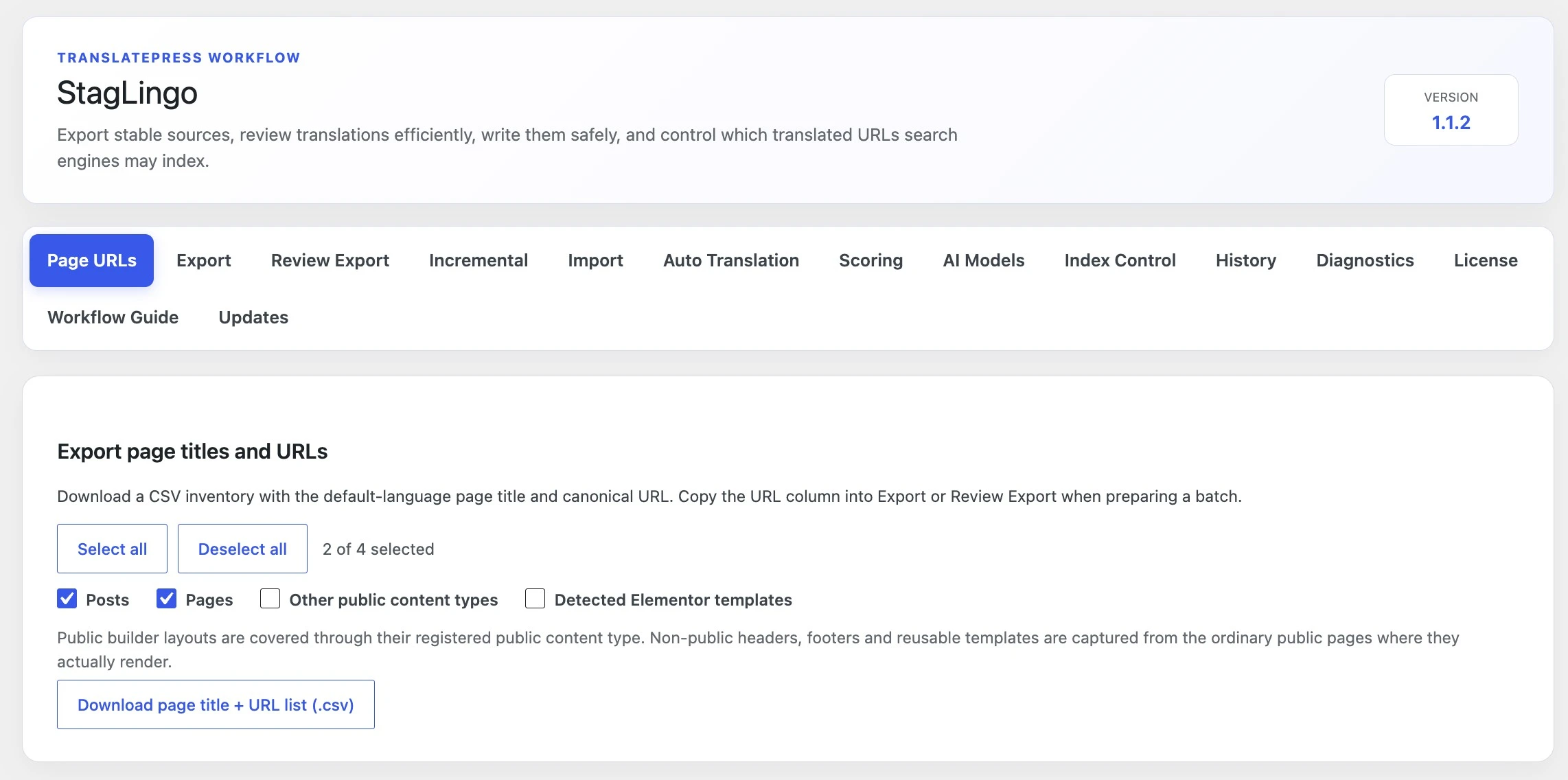
Open Tools → StagLingo → Page URLs. The first visit selects all
available groups by default, and StagLingo remembers the latest selection for
the current WordPress administrator.
Select Posts for published standard WordPress posts.
Select Pages for published standard WordPress pages.
Select Other public content types for published public custom post types, excluding attachments and Elementor Library items.
If available, select Detected Elementor templates only when those template records have meaningful public permalinks.
Use Select all or Deselect all to reset the group selection quickly.
Select Download page title + URL list (.csv).
The UTF-8 CSV is named with the download time and contains one deduplicated row per valid source permalink. Its job is deliberately narrow so it remains easy to inspect, filter, and copy into later workflows.
page_title
The title helps a human identify the page. HTML tags are removed. It is not a protected translation identity and is not the value pasted into the page selector.
source_url
This is the value to copy into Export or Review Export. Keep it as the default-language canonical source URL so StagLingo can resolve the page and configured languages correctly.
Copy only the source URLs required for the current batch. The destination tab determines whether StagLingo extracts first-round source content, fetches rendered translations, or refreshes specific Incremental records.
Use one same-site source URL or published content ID per line. A normal Export request accepts up to 100 page entries.
Read Export Translation Content →Select the source pages and target languages whose actual public body copy should be fetched for post-import review.
Read Review Export and Verification →Scan, baseline, or export pending changes for specific published pages without confusing page discovery with completion state.
Read Incremental Translation Workflow →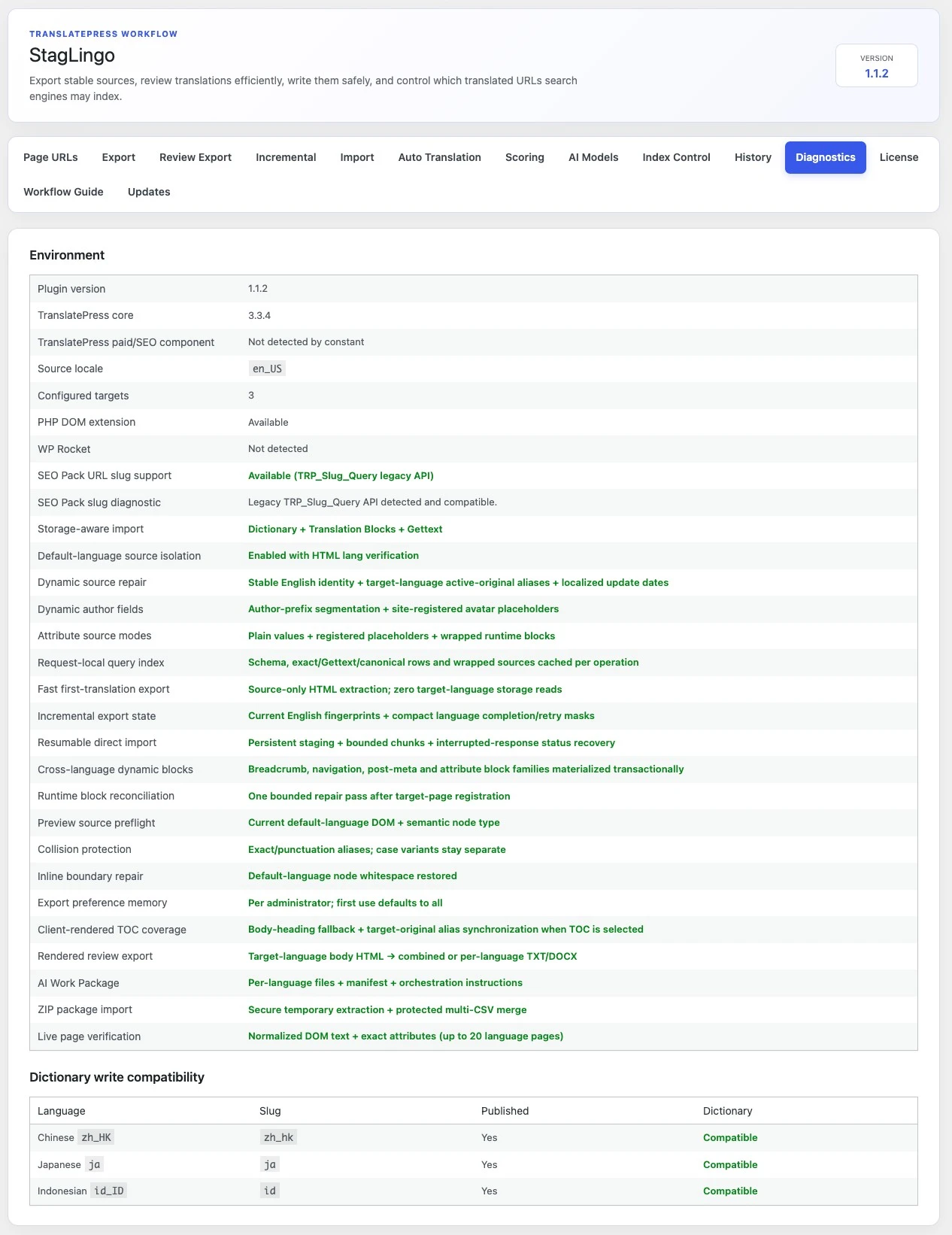
Page URLs identifies source content. TranslatePress supplies the source locale, target locales, language slugs, and publication state used when later workflows derive target URLs and locate translation storage.
Open Tools → StagLingo → Diagnostics.
Confirm the detected Source locale and number of Configured targets.
Review each target language name, locale code, URL slug, and Published status.
Check that the language dictionary is reported as compatible.
If URL-slug translation is required, confirm that the TranslatePress SEO Pack slug API is available.
A target can exist in TranslatePress while remaining unpublished. Select languages deliberately in later workflows instead of assuming every configured locale is publicly available.
Enter the default-language source URL in StagLingo. The plugin uses current TranslatePress routing to derive the corresponding target-language address where needed.
A clean source inventory prevents wrong-page extraction, unnecessary provider usage, and review packages that combine unrelated content. Check the selection before passing it to a larger workflow.
Confirm it resolves to the intended published default-language page rather than a redirect, archive, attachment, or stale permalink.
Keep only the pages for the current translation or review batch. The original inventory can remain as your reusable master list.
Confirm locale, slug, and publication status in TranslatePress before expecting a target page to resolve publicly.
Use full Export for broad shared content and Incremental only for known translated state and later page-owned changes.
Keep incomplete target URLs noindexed until the content is translated, reviewed, and verified on the front end.
Regenerate the inventory when source URLs change instead of reusing an old spreadsheet as authority.
The source inventory is ready. Continue with full content extraction, rendered review, or Incremental maintenance according to the state of those pages.