StagLingo Free vs Premium

Choose the workflow your site actually needs.

Start with free tools for page inventory, indexing control, AI configuration, diagnostics, and language scoring. Upgrade when you need the complete export, review, import, incremental-maintenance, or automatic-translation workflow.

The short answer

Choose by task, not by label.

Free is a permanent working edition, not a timed preview. Premium is for site operators who want StagLingo to carry the translation workflow from stable source export through protected publication.

Choose Free

Understand and control the site.

Use Free when you mainly need visibility, configuration, quality assessment, and search-index controls.

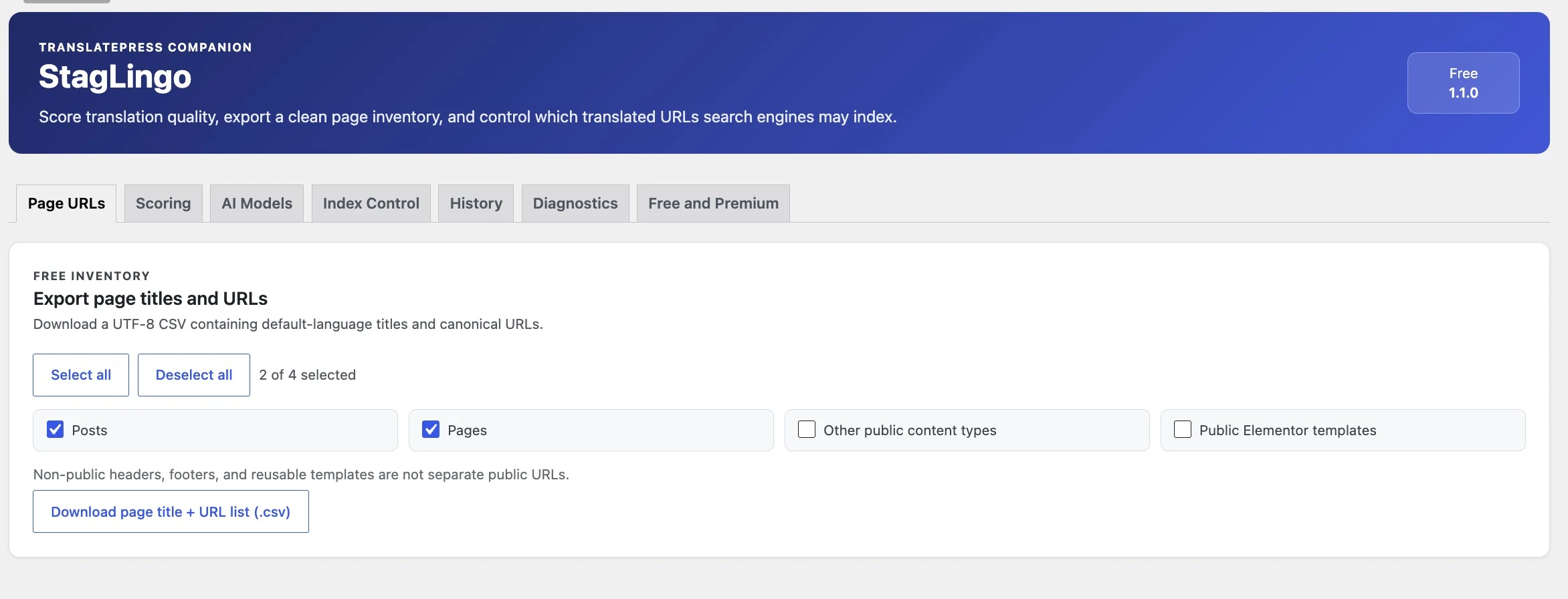
  • Export a page-title and canonical-URL inventory.
  • Keep incomplete languages or selected page-language pairs noindexed.
  • Configure supported AI providers and encrypted API credentials.
  • Score a translated public URL and separate language issues from suspected application failures.
  • Use Diagnostics, the Workflow Guide, and installed-version updates.
Choose Premium

Run the complete publishing workflow.

Use Premium when translations must be exported, reviewed, written, maintained, or generated through StagLingo.

  • Export protected multilingual CSV and AI Work Packages.
  • Review the rendered translated page through TXT or DOCX Review Export.
  • Import reviewed CSV or ZIP packages through protected validation and resumable writes.
  • Track source changes and export only dirty or failed work with Incremental.
  • Run Standard or Enhanced automatic translation with the AI provider you configure.
Feature comparison

What each edition can do.

This comparison follows the current StagLingo 1.1.4 feature division. Premium contains all Free features.

FeatureFreePremium
Page title and canonical URL inventory export✓✓
Language Index Control for whole languages and page-language pairs✓✓
AI provider and model settings✓✓
Encrypted local storage for configured API credentials✓✓
URL-based multilingual language scoring✓✓
Diagnostics, Workflow Guide, License, and Updates tabs✓✓
View retained History records already stored by the plugin✓✓
Multilingual CSV Export and AI Work Packages—✓
Rendered-page Review Export in TXT or DOCX—✓
Incremental inventory, dirty-page tracking, and targeted packages—✓
Protected CSV/ZIP Import with resumable job preparation—✓
Private pre-import backups, transactional writes, and storage read-back—✓
Post-import cache clearing and translated front-end verification—✓
Standard and Enhanced automatic translation—✓
Human support for new technical ticketsEmailPriority

AI Models being available in Free does not unlock Auto Translation. Free lets you configure providers and use free scoring; running StagLingo's automatic translation workflow requires Premium.

StagLingo Free

Useful before the first translation is imported.

Free helps you understand the public content that exists, configure the AI services you may use, evaluate translated pages, and keep unfinished language versions out of search. It does not expire and does not delete existing TranslatePress content.

  • Build a clean title-and-URL inventory from published public content.
  • Apply temporary noindex rules without blocking crawling.
  • Configure OpenAI, Google Gemini, Anthropic, or a supported OpenAI-compatible endpoint.
  • Score a live translated URL independently of the import workflow.
  • Check the WordPress, PHP, TranslatePress, dictionary, and plugin environment through Diagnostics.
Current availability: the public WordPress.org listing is still pending review. Until it is approved, request the Free package through hello@stagatlast.com.
StagLingo Free interface showing available and Premium workflow tabs
Premium workflow tabs remain visible and clearly locked, while Free tools stay available.
StagLingo Premium

Move translation work through a protected system.

Premium connects the steps that prepare source material, move reviewed translations into TranslatePress, maintain changes, and verify the public result.

01

Export

Create protected multilingual CSVs or AI Work Packages from selected public pages and content scopes.

02

Translate

Use the downloadable translation Skill manually, or run Standard or Enhanced Auto Translation with your configured provider.

03

Import

Validate protected identity fields, create a private backup, and write reviewed cells through resumable transactions.

04

Verify

Read translations back from storage, clear affected caches, and check the translated public page.

05

Review

Export rendered target-language copy in TXT or DOCX so language quality can be assessed in page order.

06

Maintain

Track new and changed source identities, then export only dirty, failed, or unconfirmed work through Incremental.

Premium pricing

One workflow. Choose the site count.

Every Premium license unlocks the same features. The only difference is the number of websites that can hold an active license at the same time.

A development or staging site uses one activation. Deactivate it when testing is complete, then activate the production site or another domain.
StagLingo PremiumSingle Site
Annual total$149 USD
7-day refund policy Card and PayPal Manage licenses in My Account

Secure checkout is powered by Freemius. Taxes may apply. Licenses renew annually until cancelled. StagLingo does not include a TranslatePress license, ChatGPT subscription, OpenAI API usage, Gemini usage, Anthropic usage, or another AI provider's fees.

License lifecycle

Activate, move, renew, or let it expire.

The license controls access to Premium features, updates, and new Premium support tickets. It does not own or remove the translations already stored by TranslatePress.

01 · Activate

One active site uses one seat.

Activate the license after installing Premium. A development, staging, or production domain counts while active.

02 · Transfer

Deactivate before moving.

Deactivate the old installation, then activate another site or the replacement domain using the same available seat.

03 · Renew

Manage renewal in My Account.

Annual subscriptions renew until cancelled. Downloads, licenses, invoices, payment details, and cancellation are managed through My Account.

04 · Expire

Premium locks; content stays.

Premium features and updates stop. Free functionality remains, and translations already written into TranslatePress are not deleted.

An expired license can continue an existing support case opened while the license was active, but it does not include new Premium support tickets. Renew the license before starting new Premium support work.
Separate services

What the StagLingo license does not include.

StagLingo structures and protects the workflow. Other software and AI providers remain separate services with their own plans, limits, terms, and charges.

TranslatePress

StagLingo extends TranslatePress; it does not replace it or include a TranslatePress Free or Premium license.

AI access and usage

ChatGPT subscriptions and OpenAI, Gemini, Anthropic, or compatible-provider API charges are paid separately by the user.

Website services

Hosting, WordPress maintenance, cache configuration, content creation, and third-party plugin support are outside the license.

API requests used by StagLingo originate from the user's WordPress installation. Users may also choose the manual workflow: export a package, translate and review it outside WordPress, then import it again.
Support and refunds

Different access, one documented product.

Support covers StagLingo itself. It does not include general WordPress development, TranslatePress support, content translation, AI-provider billing, or management of third-party services.

Free support

Email when the Free edition needs attention.

Free users can contact Stag at Last by email. Response timing is not guaranteed and Premium production issues take priority.

Premium support

Human support for licensed workflows.

Customers with an active license can submit the support form or email directly. The normal target is a response within one day.

Premium purchases are covered by the published 7-day Refund Policy. Review the complete conditions before purchasing. Subscription and payment processing are handled through Freemius.
Questions, answered

Before choosing a plan.

For a workflow-specific recommendation, contact hello@stagatlast.com.

Does StagLingo Free expire?+

No. Free is not a timed trial. Its included Page URLs, Index Control, AI Models, Scoring, Diagnostics, Guide, and Updates functionality remains available.

Does Premium include TranslatePress?+

No. StagLingo is a workflow extension for sites already using TranslatePress. TranslatePress remains responsible for serving multilingual content.

Does Premium include ChatGPT or API usage?+

No. Users provide their own supported AI access and pay any subscription or API charges directly to the relevant provider.

Why are AI Models available in Free if Auto Translation is Premium?+

The Free edition can store supported provider settings and use URL-based language scoring. The workflow that generates, reviews, and imports translations automatically is a Premium feature.

Does a staging or development site use a license seat?+

Yes. Any active website uses one seat. You can deactivate the development installation and transfer the available activation when testing is complete.

Can I move a license to a new domain?+

Yes. Deactivate the license on the previous domain, then activate it on the replacement domain from the plugin or through My Account.

What happens when a Premium license expires?+

Premium features, Premium updates, and new Premium support tickets stop. Free features remain available, and existing TranslatePress translations are not removed.

Can I upgrade from Free without rebuilding my translations?+

Yes. Premium unlocks additional StagLingo workflows around the same WordPress and TranslatePress installation. Existing TranslatePress content remains in place.

Where do I manage downloads, licenses, invoices, and renewals?+

Use the StagLingo My Account portal to manage downloads, active sites, invoices, payment details, renewals, and cancellations.

Where can I download StagLingo Free?+

The WordPress.org listing is currently pending review. Until it is approved, email hello@stagatlast.com to request the current Free package.

Start where the workflow starts

Use Free for control. Choose Premium for production.

Inventory the site, control indexing, configure AI, and score translated pages for free. Upgrade when StagLingo needs to export, import, maintain, or automatically translate production content.