Create an API key
Use a provider account you control. A ChatGPT, Gemini, or Claude consumer subscription does not necessarily include API credits.

Connect a supported provider from your own WordPress site, choose Standard or Enhanced translation, and run protected multilingual jobs without routing your API key or model requests through Stag at Last.
AI model settings and scoring are available in StagLingo Free. Running the built-in Automatic Translation workflow requires StagLingo Premium and uses the account, model access, and paid usage supplied by your chosen provider.
Use a provider account you control. A ChatGPT, Gemini, or Claude consumer subscription does not necessarily include API credits.
Copy an exact model identifier enabled for your API account. StagLingo does not silently replace that choice during an update.
Verify TranslatePress languages, storage access, PHP requirements, and the other checks reported by StagLingo before a live run.
Use Index Control to keep incomplete language versions noindex, follow until translation and review are complete.
Choose a representative published page and a small language set before scheduling a broader production batch.
Review token limits, rate limits, account balance, and provider data controls. Model calls are billed by the provider, not StagLingo.
Open Tools → StagLingo → AI Models. Save one provider
configuration, then run the minimal connection test before attempting a
translation or scoring job.
Select OpenAI, Google Gemini, Anthropic Claude, or an OpenAI-compatible endpoint.
Enter the exact Model ID available to your account.
Paste the API key. For a compatible provider, also enter its required HTTPS endpoint.
Keep the default 90-second timeout and 12,000 output-token limit unless your provider or workload requires a deliberate change.
Select Save AI model settings, then Test connection.
Continue only after StagLingo reports AI connection verified.
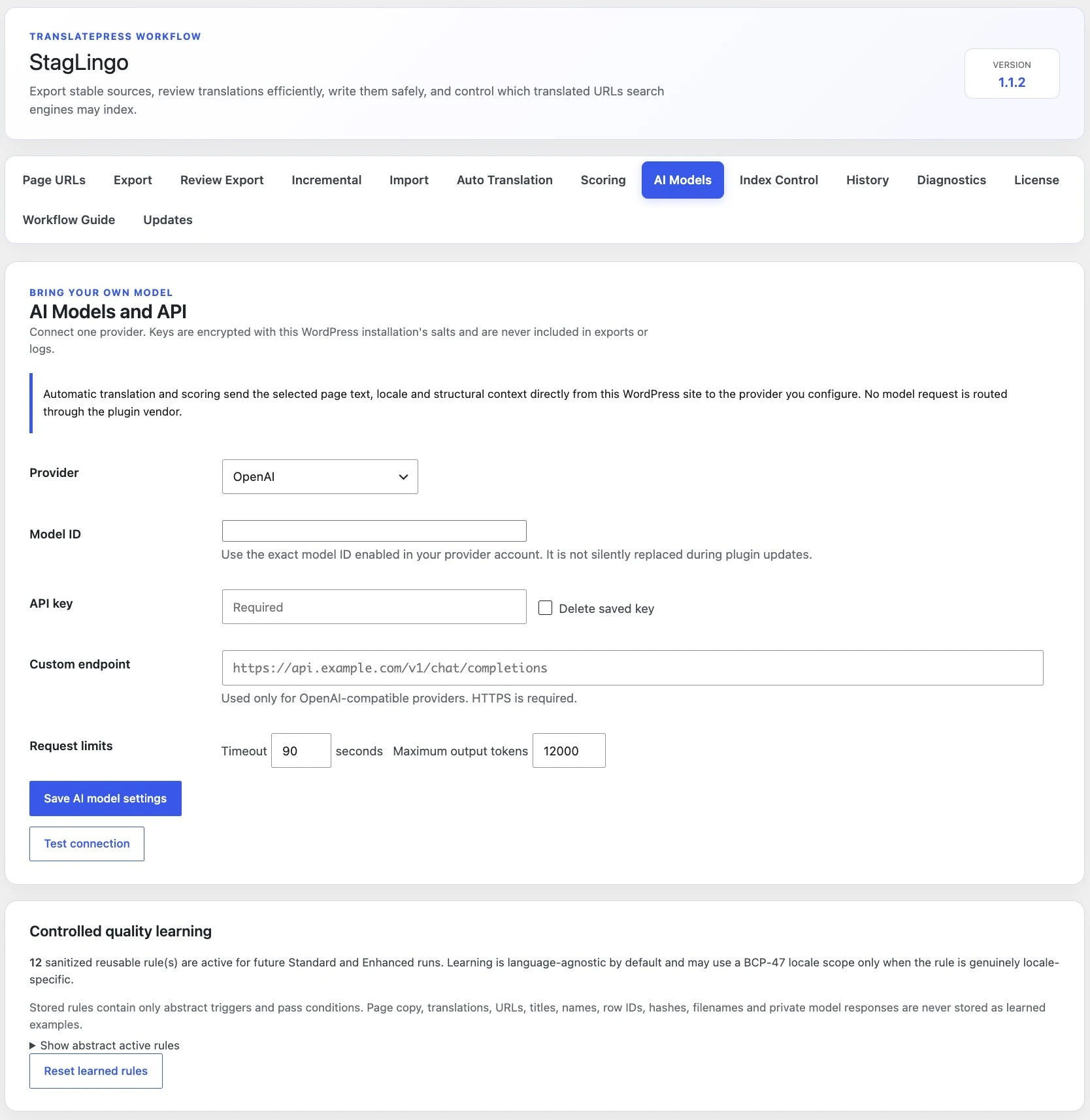
Automatic translation and scoring send selected page text, target-locale context, and required structure directly from the WordPress installation to the provider you configured. Stag at Last is not a proxy for these requests.
Your saved API key is kept in a non-autoloaded WordPress option and encrypted with a key derived from the installation's WordPress authentication salts.
The site uses the credential only to authenticate direct model requests. The selected provider receives the submitted translation or scoring content.
The plugin vendor does not receive the API key or route the model request. Keys are excluded from StagLingo exports, logs, reports, and learned rules.
Both modes use StagLingo's protected export and import foundation. Enhanced is not just a longer first prompt: it writes round one, fetches the actual translated front end, and then creates targeted second-round corrections.
Use Standard when you need a protected initial translation that you will review separately or when provider usage needs to stay lower.
Use Enhanced when the rendered page should be checked and corrected inside the same resumable job.
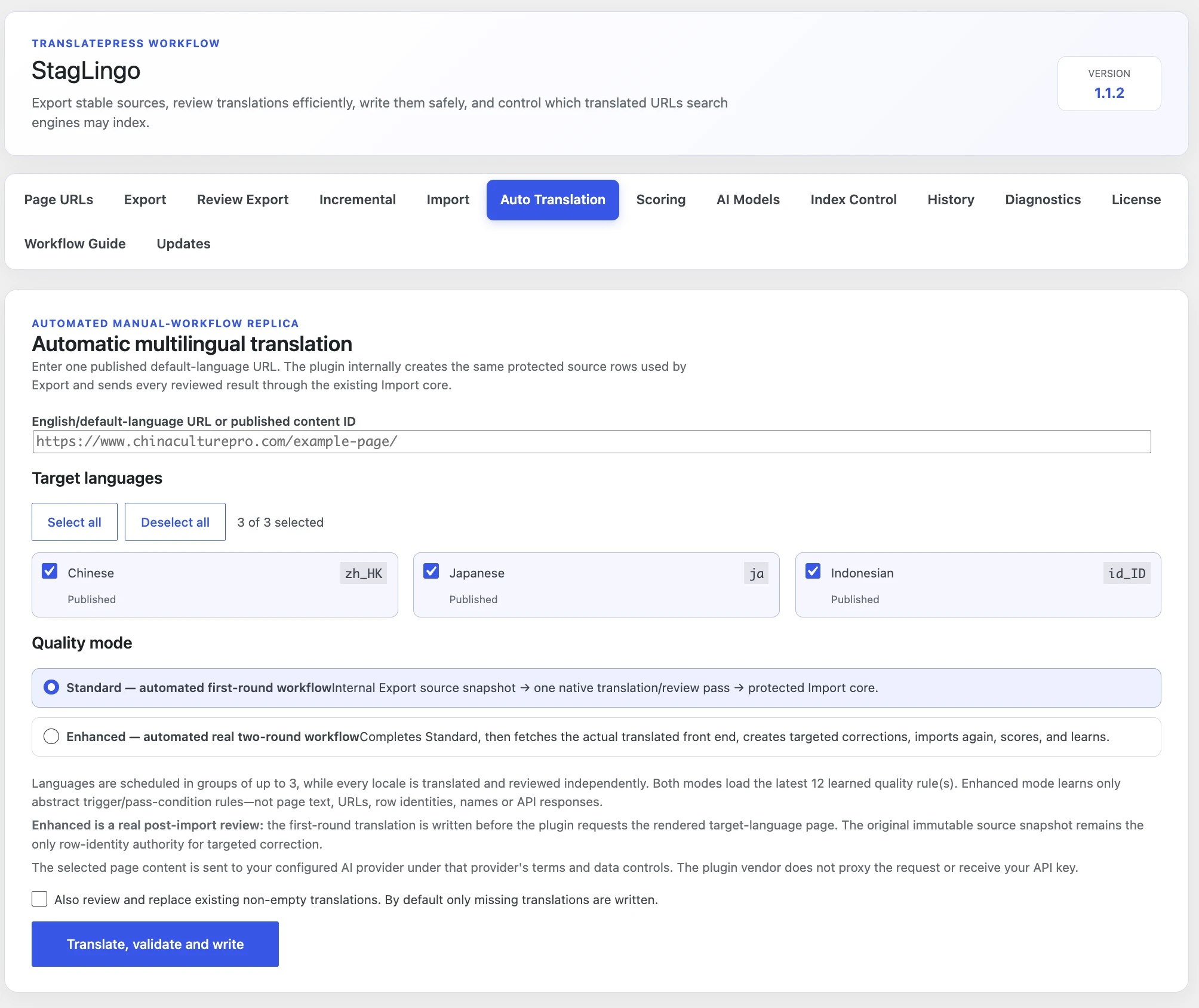
Open Tools → StagLingo → Auto Translation. StagLingo reads the
available target languages from TranslatePress and processes each locale
independently, even when several languages are scheduled together.
Enter one published default-language URL or content ID.
Select the TranslatePress target languages for this job.
Choose Standard or Enhanced.
Leave replacement disabled to write only missing translations.
Enable Also review and replace existing non-empty translations only when deliberate revision is required.
Select Translate, validate and write, then keep the job page available while it advances.
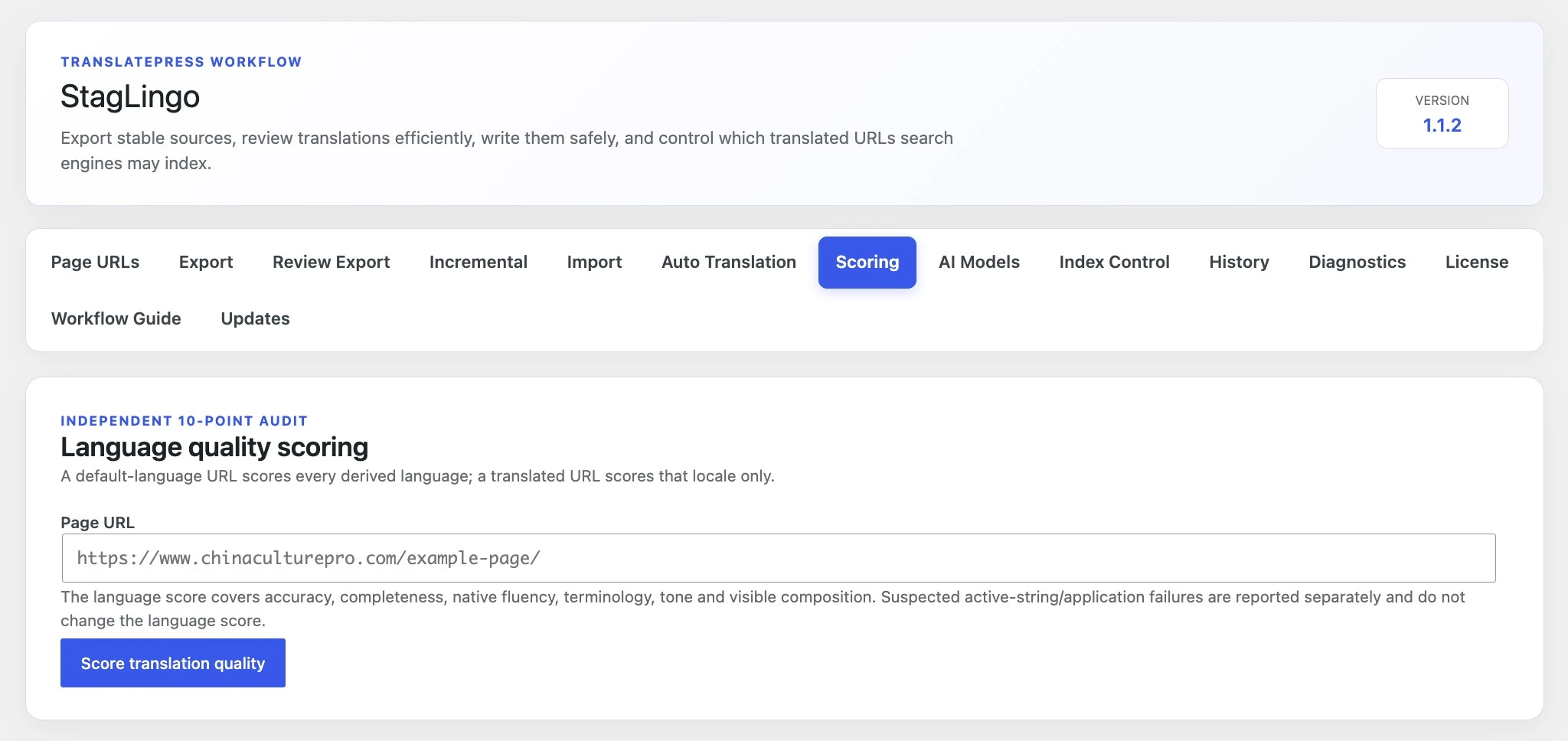
StagLingo's independent 10-point audit evaluates the translated language. Suspected front-end application or visibility problems are reported separately so a storage or cache issue does not artificially change the language score.
Accuracy, completeness, native fluency, terminology, tone, and visible composition contribute to the language-quality result.
Missing rendered text, stale output, or other suspected application failures are identified separately and should be verified on the live page.
The import transaction includes a private backup, validation, storage read-back, History entry, and the cache-clearing or verification steps available to the site.
StagLingo retains a small set of recent private source snapshots so an interrupted locale or Enhanced second round can resume without rebuilding row identity. That safeguard deliberately refuses an unsafe resume after the source changes.
Check the provider choice, exact model ID, API key, account balance, model access, and provider rate limits. A compatible custom endpoint must use https://.
A network response alone is not enough. The connection test and translation workflow require the structured output expected by StagLingo.
Use the available resume action for the same saved job and immutable source snapshot. Completed locales should not need to restart.
If the current English source fingerprint differs from the saved snapshot, create a new job so translations are not applied against stale source identity.
Read the warning and inspect the translated front end. A warning can require verification without automatically meaning that every written translation failed.
Check the intended locale URL and clear relevant page, plugin, server, and CDN caches before concluding that the import did not apply.
Automatic translation creates or reviews page translations. Continue with the maintenance, publishing, or recovery guide that matches what you need to do next.