Use the reviewed output
An AI Work source or Review Export package cannot be imported directly. Process it with the translatepress-ai-work-batch Skill and import the returned reviewed_import_package.

Upload reviewed CSV or ZIP packages, validate their identity, write only approved translation cells, and keep proof through backups, storage read-back, History, and live-page checks.
The safest import is the reviewed output returned by the translation workflow. StagLingo then compares that package with the current site before any text is written.
An AI Work source or Review Export package cannot be imported directly. Process it with the translatepress-ai-work-batch Skill and import the returned reviewed_import_package.
Keep post_id, source_url, content_type, exact_english_source, and source_hash unchanged. They bind each translation to its current source.
A blank target-language cell or / keeps the existing translation unchanged. This allows a correction package to contain only the cells that genuinely need a write.
Open StagLingo → Import, choose one or more reviewed files, then confirm the workflow, write mode, and queue order before starting.
Select reviewed CSV or ZIP files. Additional selections are appended instead of replacing the files already waiting.
Keep Selected/upload order, or choose Filename A–Z when filenames define the intended sequence.
Use the recommended workflow and write mode for normal batches, then click Start import.
Each ZIP is expanded into independent CSV tasks. An invalid CSV is isolated and does not block its valid siblings.
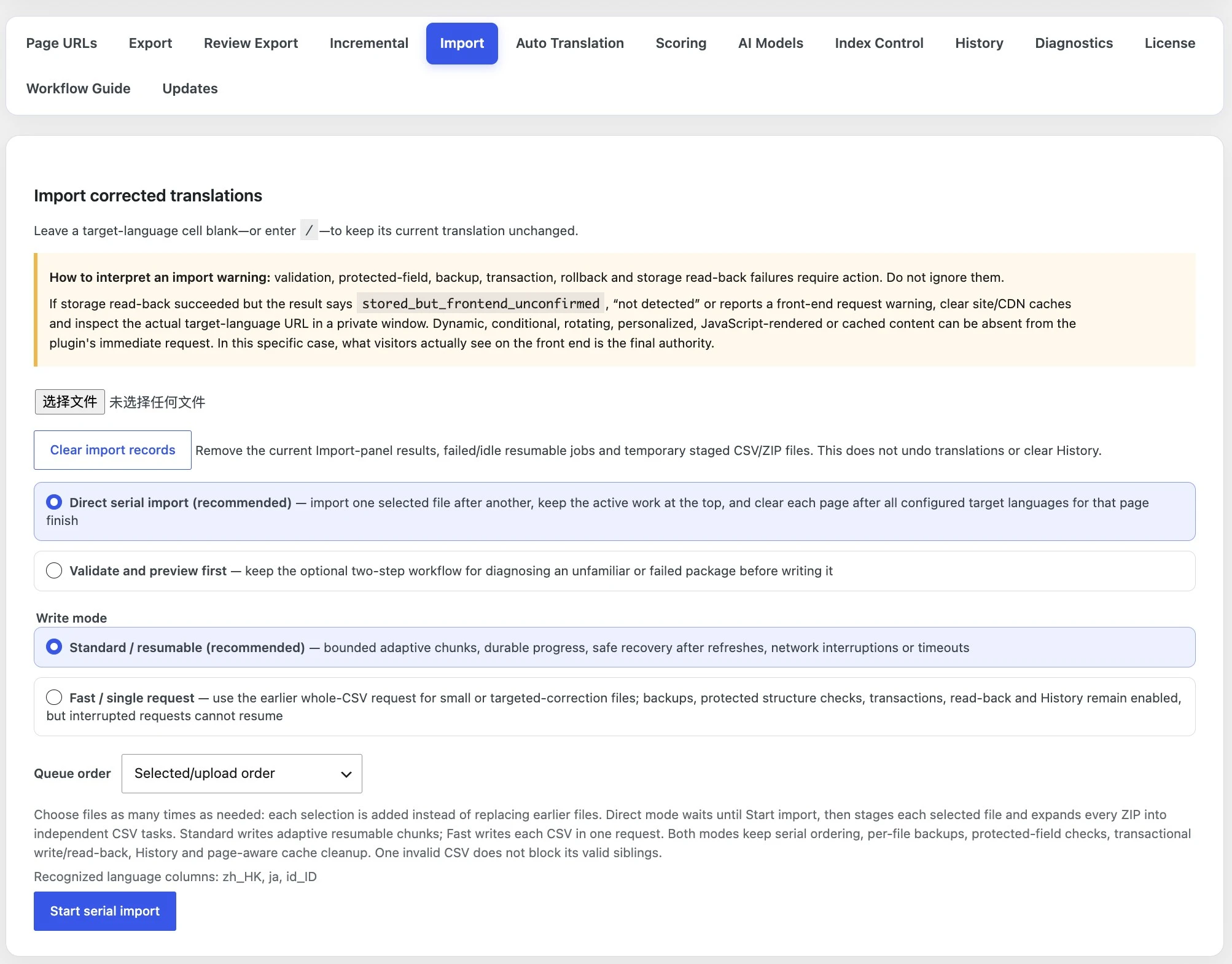
Both routes apply the same protected checks. The difference is whether StagLingo proceeds directly into writing or pauses after validation for inspection.
Best for reviewed packages produced by your normal StagLingo workflow.
Use the optional two-step route for an unfamiliar package or after a previous failure.
The write mode changes how each validated CSV reaches completion. It does not remove backups, protected checks, transactions, storage read-back, History, or cache handling.
Writes bounded adaptive chunks and saves durable progress after each completed chunk.
Writes one entire CSV in a single request and is appropriate only when that request can reliably finish.
A green result is not based only on receiving an upload. StagLingo validates the package, proves the source identity, protects recovery, writes transactionally, and reads the stored value back.
Checks file type, required and duplicate headers, safe ZIP paths, supported package schema, listed members, and manifest hashes.
Confirms the protected identity still matches the active site and extractor schema before a translation candidate is allowed to write.
Creates a per-file recovery copy before committed changes. Backup failure is an action-required failure, not a warning to bypass.
Commits valid translation candidates through registered TranslatePress storage layers and rolls a failed unit back instead of claiming success.
Reads the value from storage after writing. A storage read-back failure means the import could not prove the write and requires investigation.
Clears relevant page caches, records History, and checks the translated page after the durable CSV work has completed.
Read storage safety and live-page visibility as separate layers. The wording of the result tells you whether to stop or inspect the real translated page.
Validation, protected-field, backup, transaction, rollback, or storage read-back failures mean the write was rejected or could not be proven. Review the failed or quarantined item, its backup, and History and troubleshooting before retrying.
stored_but_frontend_unconfirmed, “not detected,” a front-end request warning, or a related-card value absent from that request can occur even after storage read-back succeeds.
Clear site, server, and CDN caches. Open the exact target-language URL in a private window. If the visitor-visible copy is correct, that front end is the final authority for this specific visibility warning.
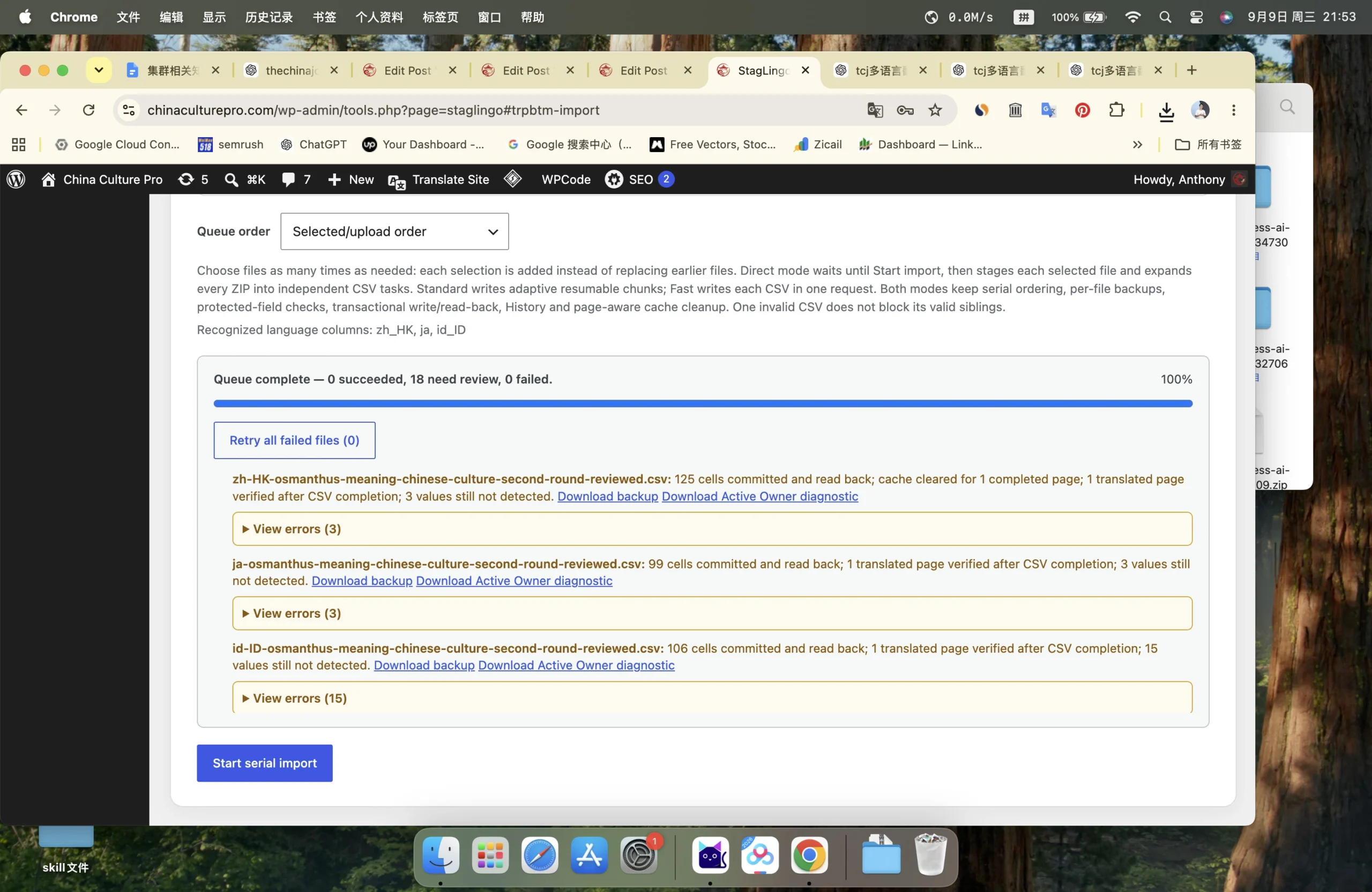
The Import panel is an active-work surface. History is the durable audit surface for successful page-language writes and recent file or rollback status.
Standard-mode file and chunk progress can survive refreshes, network interruptions, timeouts, and in-place updates for up to 48 hours. Use Resume saved imports instead of uploading the same package blindly.
Retry all failed files is available when tasks fail. Correct an expired session, environment issue, stale package, or other reported cause first; retries do not make an invalid package valid.
Clear import records removes current Import-panel results, idle or failed resumable jobs, and temporary staged files. It does not undo committed translations or clear History.
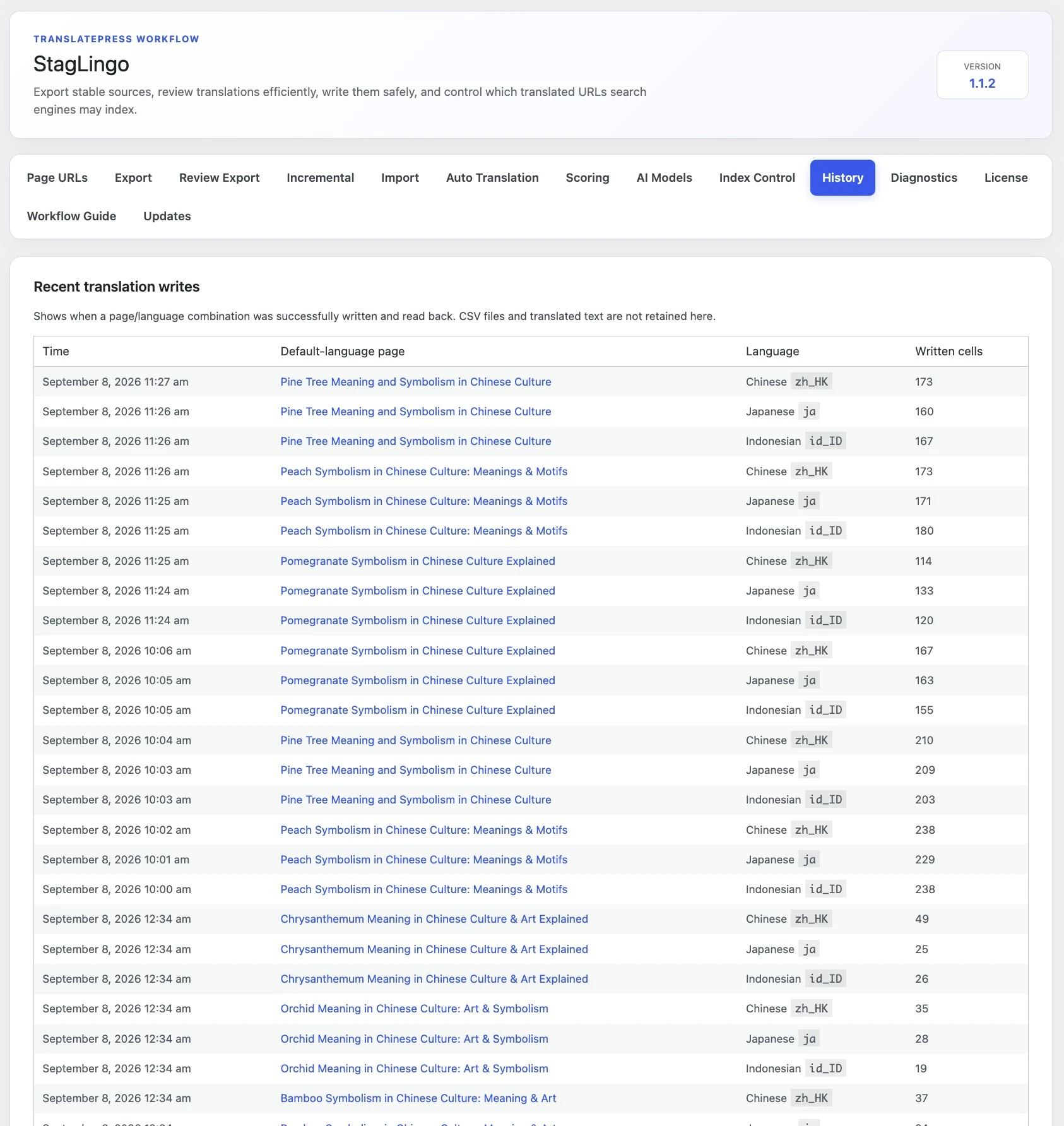
Use Review Export for structured second-round review, confirm the real translated URLs, and keep troubleshooting and data-handling guidance close when a result needs investigation.