One integrated pass
Creates an immutable source snapshot, runs the model pass, validates the result, and imports it through the protected writer.

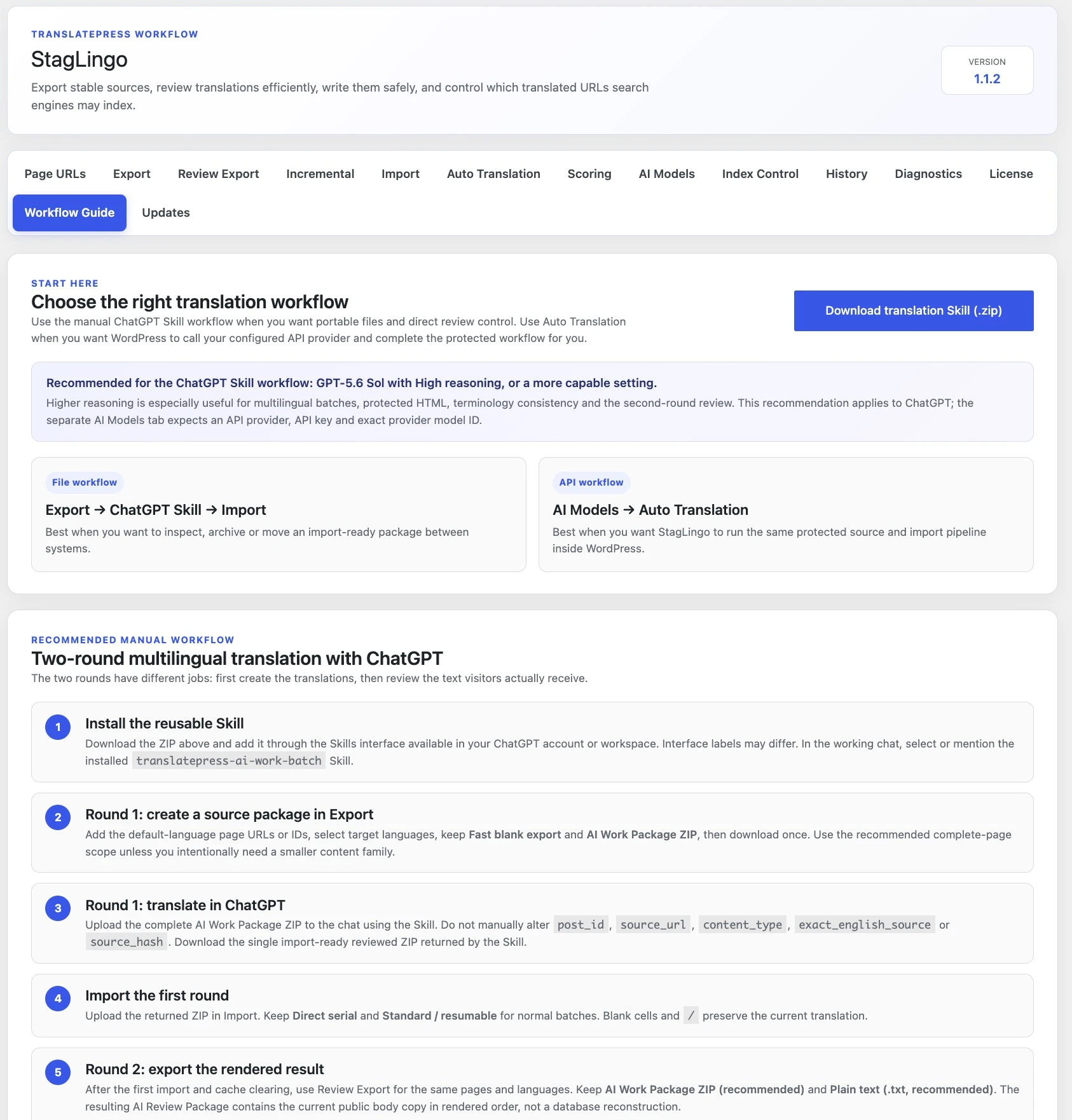
Use the manual two-round workflow when you want portable files and direct review control. Use automatic translation when you want WordPress to call your configured API provider. Use Incremental only after content has a known translated state and you need to process later changes.
Manual and automatic workflows can create first translations. Incremental is different: it maintains a translation state that already exists. It should not be used as a shortcut for untranslated pages or languages.
Move protected packages between StagLingo and the reusable ChatGPT Skill.
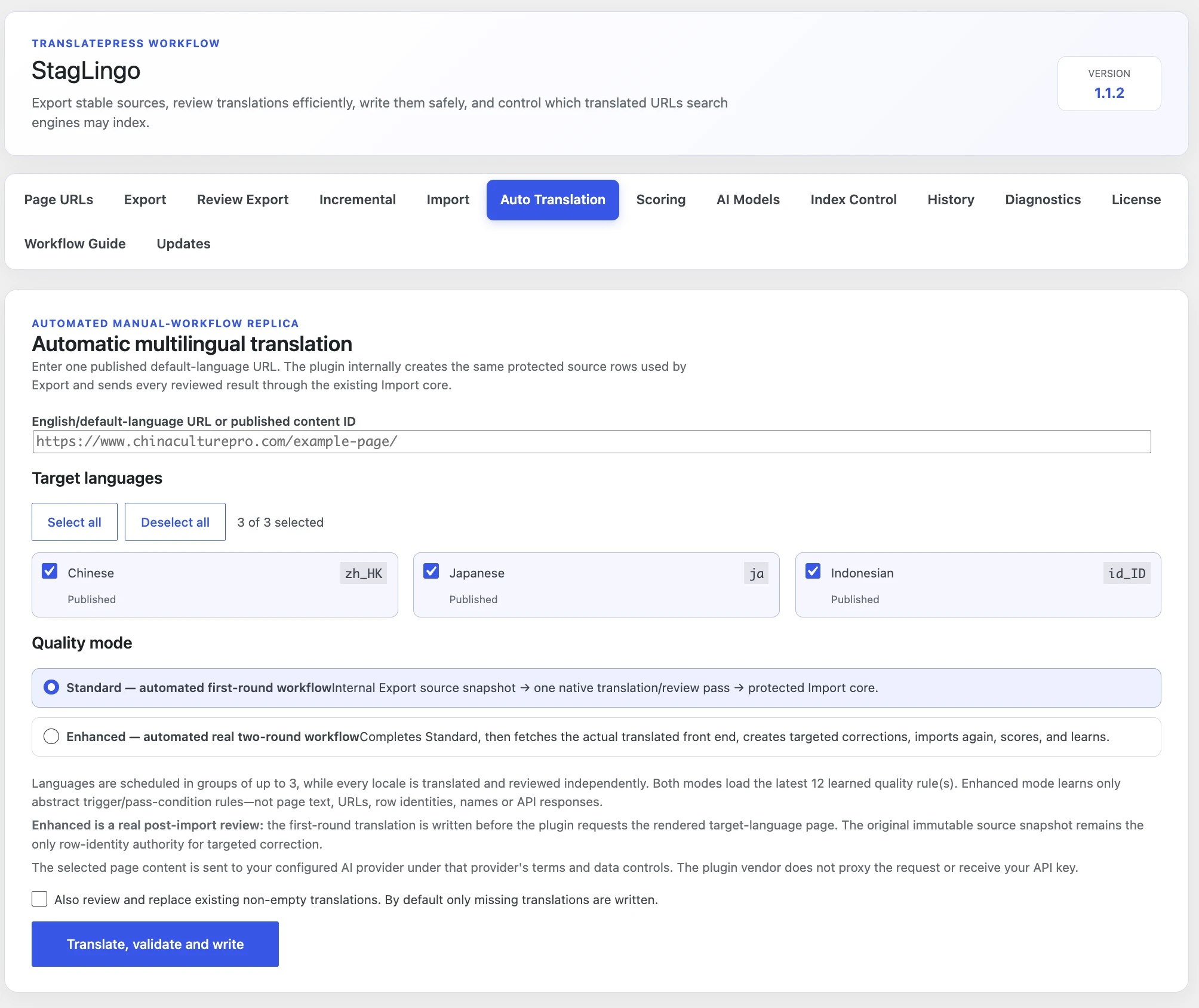
Let StagLingo call the selected provider directly from the WordPress server.
Export only identities that are new, changed, missing, or waiting for retry.
The first round creates reviewed translations from the protected source package. The second round examines the body copy visitors actually receive after import, so it can find problems that isolated CSV cells cannot reveal.
Export an AI Work Package ZIP from the default-language pages.
Process the complete ZIP with translatepress-ai-work-batch.
Import the returned reviewed ZIP using Standard / resumable.
Create an AI Review Package from Review Export.
Review it with the same Skill, import targeted corrections, and verify the live pages.
post_id, source_url, content_type,
exact_english_source, or source_hash.
Configure OpenAI, Google Gemini, Anthropic Claude, or an HTTPS OpenAI-compatible endpoint in AI Models. StagLingo then sends requests from the site to the selected provider and uses the same protected import core for accepted results.
Creates an immutable source snapshot, runs the model pass, validates the result, and imports it through the protected writer.
After the first import, fetches the translated front end, creates targeted corrections, imports again, and scores the result.
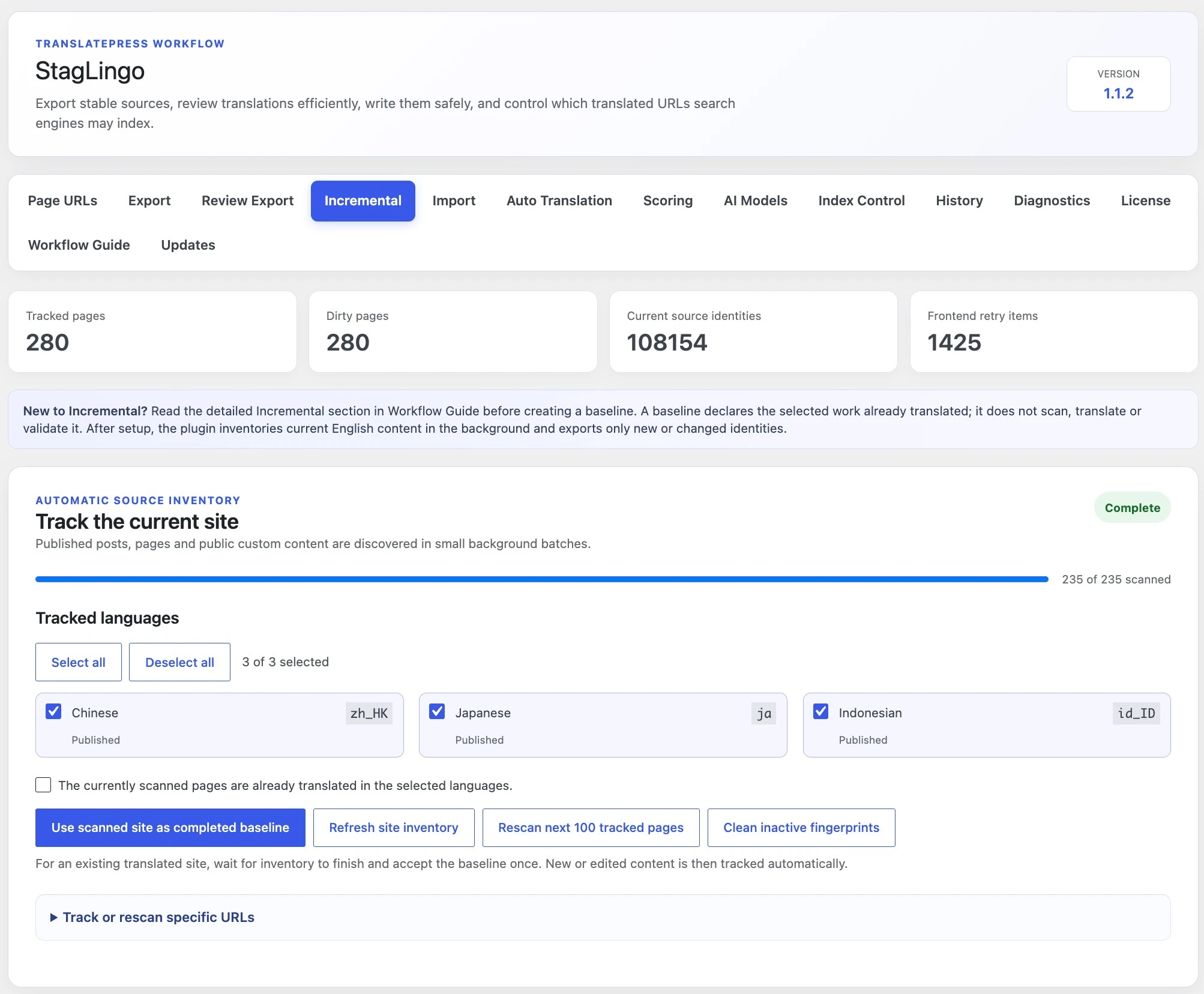
StagLingo inventories current page-owned English identities and language status. Later, it can export only identities that are new, changed, missing, or still waiting for front-end confirmation.
A baseline does not scan translation quality, create translations, or validate the front end. It declares the selected scanned work complete. Never baseline a page or language that is still missing translations.
Choose one primary route for the current task. A site can use different routes at different times—for example, manual translation for the first release and Incremental for later source-page changes.
| Question | Manual two-round | Automatic | Incremental |
|---|---|---|---|
| Primary purpose | Create and independently review new translations through portable files. | Create translations through a provider API from WordPress. | Maintain already translated pages after source content changes. |
| External requirement | A ChatGPT account or workspace that can use the supplied Skill workflow. | A supported API provider, API key, model access, and available usage. | A truthful completed state, plus either the Skill route or a compatible package process. |
| Package visibility | Highest: export, keep, inspect, and import the packages yourself. | Lower: source snapshot, model work, and protected import run inside WordPress. | Exports only the tracked identities that currently require work. |
| Second rendered review | Use Review Export and the Skill as a separate second round. | Use Enhanced to perform the rendered correction stage automatically. | Use Review Export when changed content needs front-end language review. |
| Best starting condition | New, untranslated, partially translated, or audit-heavy content. | New or partially translated content with configured provider access. | Pages and languages that are already translated and correctly tracked. |
| Do not choose it when | You need an entirely unattended API-driven run. | You do not have suitable API access or want to inspect every intermediate file. | The selected pages or languages are not actually translated yet. |
Each guide continues from this decision page with the exact controls, package choices, safety rules, and verification steps for that route.