WordPress → administrator
StagLingo extracts the selected source and streams an export to the administrator’s browser. You decide where the downloaded package is stored or processed.
No vendor model proxy
StagLingo runs primarily inside your WordPress installation. Files, workflow state, backups, and translations stay under your site’s control unless an administrator downloads them or starts a direct request to a configured AI provider.
Installing StagLingo does not automatically send page content to an AI company. External content transfer begins only when an administrator uses a provider-connected function or manually sends an exported file elsewhere.
StagLingo extracts the selected source and streams an export to the administrator’s browser. You decide where the downloaded package is stored or processed.
No vendor model proxyYour server sends the required page text and structural context directly to OpenAI, Google Gemini, Anthropic, or your configured HTTPS-compatible endpoint.
Provider terms applyFreemius handles account connection, licensing, updates, checkout, subscriptions, invoices, support, and any telemetry permitted through its integration.
Separate from AI requestsStagLingo reads rendered content and TranslatePress storage, prepares files, validates reviewed packages, writes approved translations, and records operational evidence inside the WordPress environment.
Settings, encrypted credentials, import metadata, History, Index Control, Incremental state, learned rules, and recent automatic job snapshots.
Pending previews, staged import files, resumable job files, and private pre-import backups in plugin-owned upload directories.
The actual translations, statuses, blocks, Gettext values, and supported translated URL slugs written by the protected import core.
A model request can include source text, target locale, content type, internal row IDs, protected markup, URLs, placeholders, numbers, first-pass translations, rendered review text, compact verification evidence, quality rules, and generation instructions.
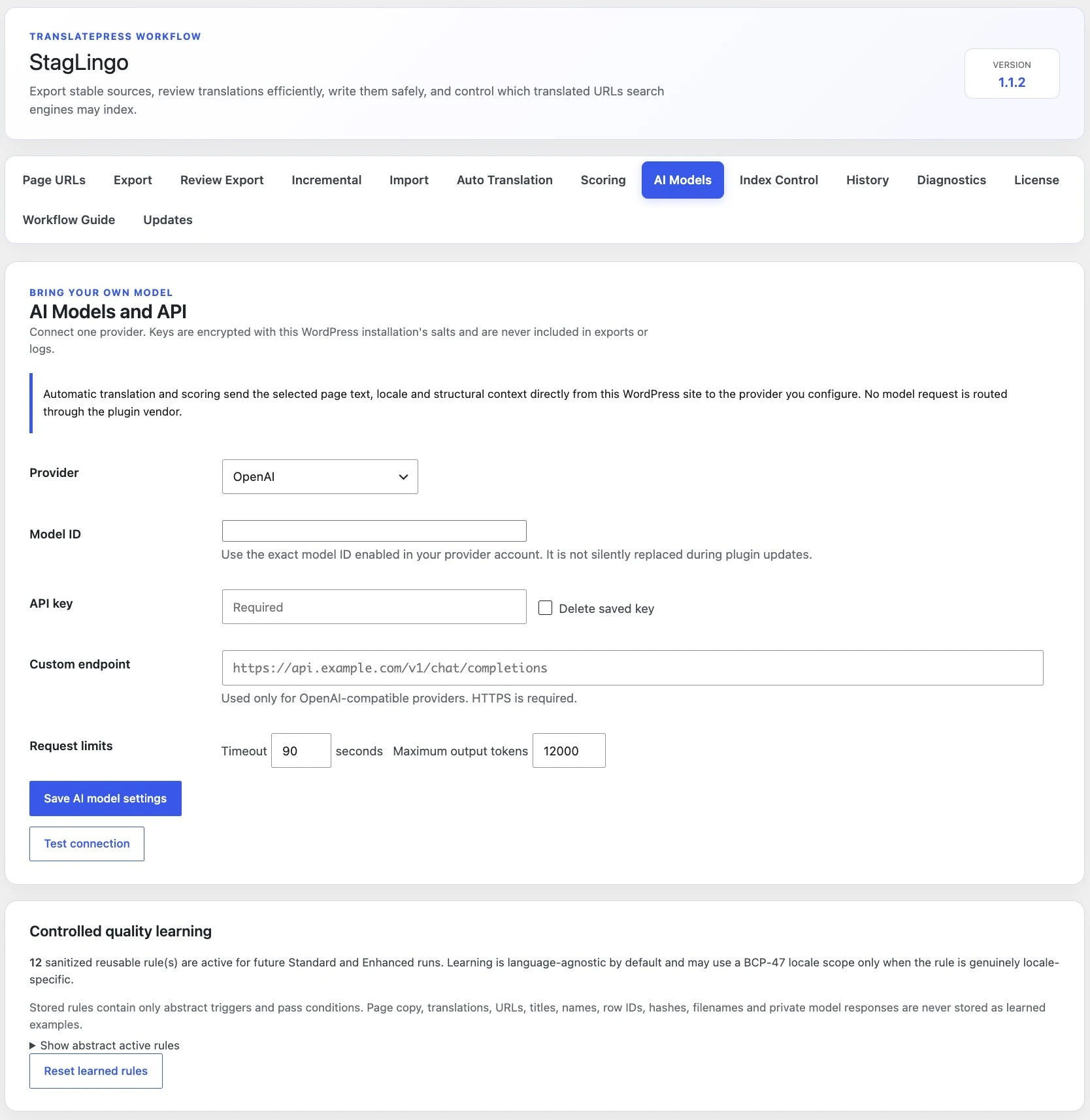
Encryption reduces exposure in the database but does not replace WordPress, hosting, and administrator-account security. A compromised administrator or server can still initiate authorized provider requests.
The encryption key is derived from the WordPress installation’s authentication salts, so copied encrypted values are not designed to work independently of that installation.
StagLingo uses AES-256-GCM when available and falls back to Sodium secret-box. If neither method is available, a new API key is not saved.
The saved key is not included in translation exports, History, plugin reports, learned quality rules, or normal StagLingo logs.
AI settings and operations require WordPress administrator capability checks and request nonces. The saved key can be explicitly deleted from AI Models.
Retention below describes the current StagLingo 1.1.3 implementation. Hosting backups, database snapshots, security tools, and external services can retain copies for longer.
| Data | Stored where | Current limit or duration | How it is removed or replaced |
|---|---|---|---|
| Diagnostic Preview package | Protected local file plus integrity-checked preview state | 30 minutes | Expires automatically and is removed when the preview is consumed or fails. |
| Staged and resumable imports | Protected upload/job files and WordPress options | Up to 48 hours for incomplete work; completed job files use a shorter cleanup window | Completion, expiry, explicit removal, or Clear import records. |
| Private pre-import backups | Protected plugin upload directory | Latest 20 backup records | Older physical backup files are removed as new backups exceed the limit. |
| Recent translation writes | WordPress options | Latest 200 page-language records | Older records are replaced as new successful writes are added. |
| Automatic workflow jobs | WordPress options | Five most recently updated jobs | Older jobs are replaced by newer jobs. Saved state can include source rows, first-pass translations, import summaries, scores, and resume lineage. |
| AI operation report | User-specific WordPress transient | Up to one hour | Consumed on display or removed by transient expiry. |
| Learned quality rules | WordPress options | Latest 120 sanitized rules | Older rules are replaced, or an administrator can reset the rules. |
| AI settings and encrypted key | WordPress options | Until changed or deleted | Replace the setting or select Delete saved key. Uninstall does not erase plugin data by default. |
| Imported translations | TranslatePress storage | Part of the multilingual site | Managed through the site’s TranslatePress/database maintenance process, not Clear import records. |
Freemius provides the commercial account layer. It is not the model gateway and is not inserted into StagLingo’s translation extraction, protected import, TranslatePress write, Incremental, or Index Control core.
StagLingo cannot protect a weak hosting account, a compromised administrator session, an exposed export, or a provider account with excessive permissions.
Use HTTPS, current WordPress and plugin versions, unique administrator accounts, strong authentication, least privilege, and monitored backups.
Use a dedicated project or key when possible, apply provider spending limits, monitor usage, and rotate the key if exposure is suspected.
Do not send personal, confidential, regulated, licensed, or third-party content unless you have an appropriate legal basis and provider agreement.
Downloaded files can contain complete page copy, URLs, metadata, and translations. Store and transfer them according to your organization’s data policy.
HTTPS is required, but encryption in transit does not prove the endpoint operator is trustworthy. Verify ownership, privacy terms, logging, and retention.
Send exact errors and diagnostic context, but never include passwords, full API keys, payment-card data, or unrelated private page content.
Deleting a temporary import record, deleting an API key, resetting learned rules, and uninstalling the plugin are different operations. None should be treated as a replacement for a tested site-retention policy.
Select Delete saved key and save the AI model settings. Rotate or revoke the same credential at the provider when appropriate.
Use Clear import records for idle results, temporary staged files, and failed or idle resumable jobs. Committed translations and History remain.
Resetting rules removes the abstract quality rules without deleting the API setting, translations, History, or automatic job snapshots.
Security decisions depend on whether you download packages, connect an AI provider, activate a paid license, or retain diagnostic material for support.