
Quick Answer: What should in-store marketing help shoppers do?
In-store marketing uses signs, displays, samples and staff assistance to help shoppers discover and evaluate products in a physical store. Start with the question that delays the purchase.
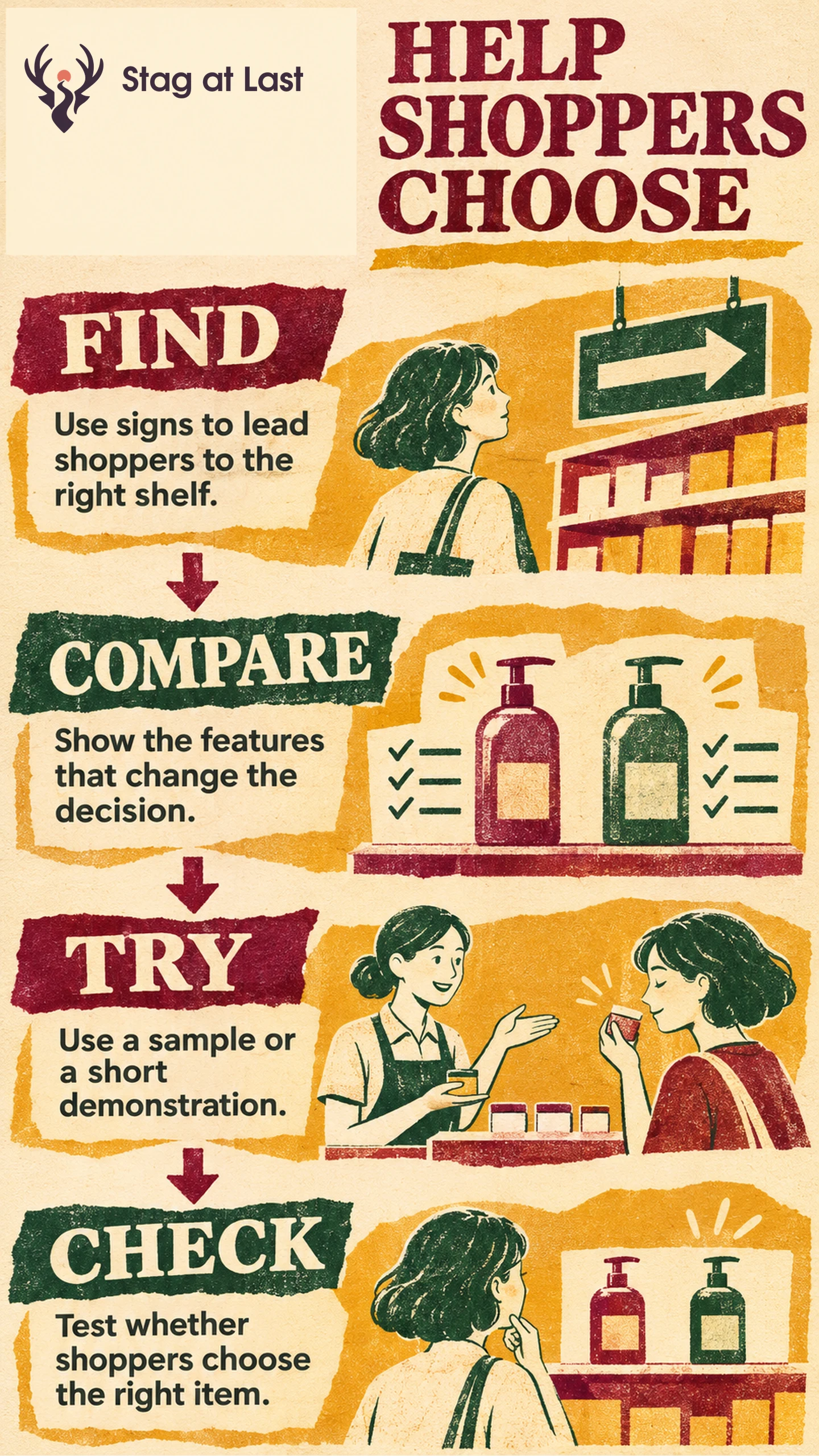
- Put directions where shoppers decide which aisle to enter.
- Put comparison facts next to the products they describe.
- Offer a sample or a short demo when handling the product answers the question.
Post prices and essential compatibility information at the shelf. Use a scan or staff explanation for extra detail.
A customer stands in front of a row of frying pans and wants to know which one will work on an induction cooktop. A brand poster may get their attention. A shelf card that names the compatible models helps them take the right pan to checkout. Good floor merchandising makes that decision easier for the customer and for the next person who visits.
Find Where Shoppers Get Stuck
Walk the route from the entrance to the shelf. Ask staff what people keep asking, and observe whether shoppers find the category, pick up alternative products or leave to find help. Record the problem in ordinary language. “Which pans work with my stove?” points to a different display than “Where are the pans?”
Check recent returns, too. If customers often return the wrong size, write the usable dimensions where they select the item. If they cannot tell which product is on display, group each sample with its saleable variant and label. Tie what you change to the aim of the retail campaign so the floor can answer questions prompted by ads and product pages.
Build a Display Around the Decision
At the aisle entrance, use one sign to point people toward cookware. At the shelf, lay out a few representative pans with labels showing compatible cooktop types, cooking surface dimensions and price. Base every field on the current manufacturer specifications or approved product record. Use the same measurement for each item so shoppers can compare them.
Shopify includes signs, samples and demonstrations among in-store marketing formats. [1] Choose the format based on the question. Put a display pan on the counter if shoppers want to judge the handle or weight. Place a simple drawing of the pan base beside its listed contact diameter if shoppers are trying to match a cooking zone.
Add a QR code when customers want details they can take with them, such as a care guide for a specific model. GS1’s guidance describes how QR codes using GS1 Digital Link syntax can direct shoppers to digital information for the product identified by the code. [2] On a shelf sign, name what opens and test it on a phone at the shelf. Keep the essential buying facts in print.
Keep Displays Useful Through a Full Shift
Assign a person to check price labels, display stock and model placement at opening and after replenishment. Ask them to remove a sold-out item from the comparison or mark it unavailable and explain the order options. Check that sight lines and aisles remain clear when people stop to read the cards or handle a sample.
Give staff a short question to open the conversation, such as “What kind of cooktop do you have?” If a shopper is unsure, point them to the cooktop manual or model information before recommending a pan. The display should make the most common case easy and give staff a clear next step for exceptions.
Test Whether Shoppers Can Choose More Easily
Observe the old and new displays during comparable shifts. Use the same task each time, such as asking consenting participants to pick a pan labeled 28 cm and compatible with induction. Label the manufacturer’s stated size and the base contact diameter separately. Divide correct unassisted selections by all valid attempts, including attempts where shoppers ask for help or cannot finish. Report correct staff-assisted choices separately.
Read sales alongside category availability and returns for fit or compatibility. Follow return reasons through the normal return window before making a judgement about wrong purchases. A busy Saturday or an out-of-stock alternative can change the sales mix without telling you whether the sign helped. Keep a change if shoppers can make the intended choice more reliably and staff can maintain it during routine shifts.
Check the Product Guides Shoppers Scan
If your in-store display links to WordPress product guides, try StagLingo on a few guides. Scan the sign on a phone and check that dimensions, variant names and instructions are clear in each language.
FAQs About In-Store Marketing
Where should a product comparison sign go?
Put it beside the products at the point where shoppers make the comparison. Use a separate aisle sign if shoppers also need help finding the category.
When should a shelf display use a QR code?
Use a code for information that benefits from more space or can be saved for later, such as setup instructions or a variant-specific guide. Print the facts customers need to choose before they scan.
How can one store test a new display?
Test the old and new layouts during comparable days and shifts. Keep the offer and assortment stable where possible, and use the same observed task and scoring rule for both layouts.
Sources
[1] Shopify. In-Store Marketing Strategies
[2] GS1. 2D Barcodes at Retail Point-of-Sale Implementation Guideline