
Quick Answer: How Do You Keep Product Information Accurate Across Channels?
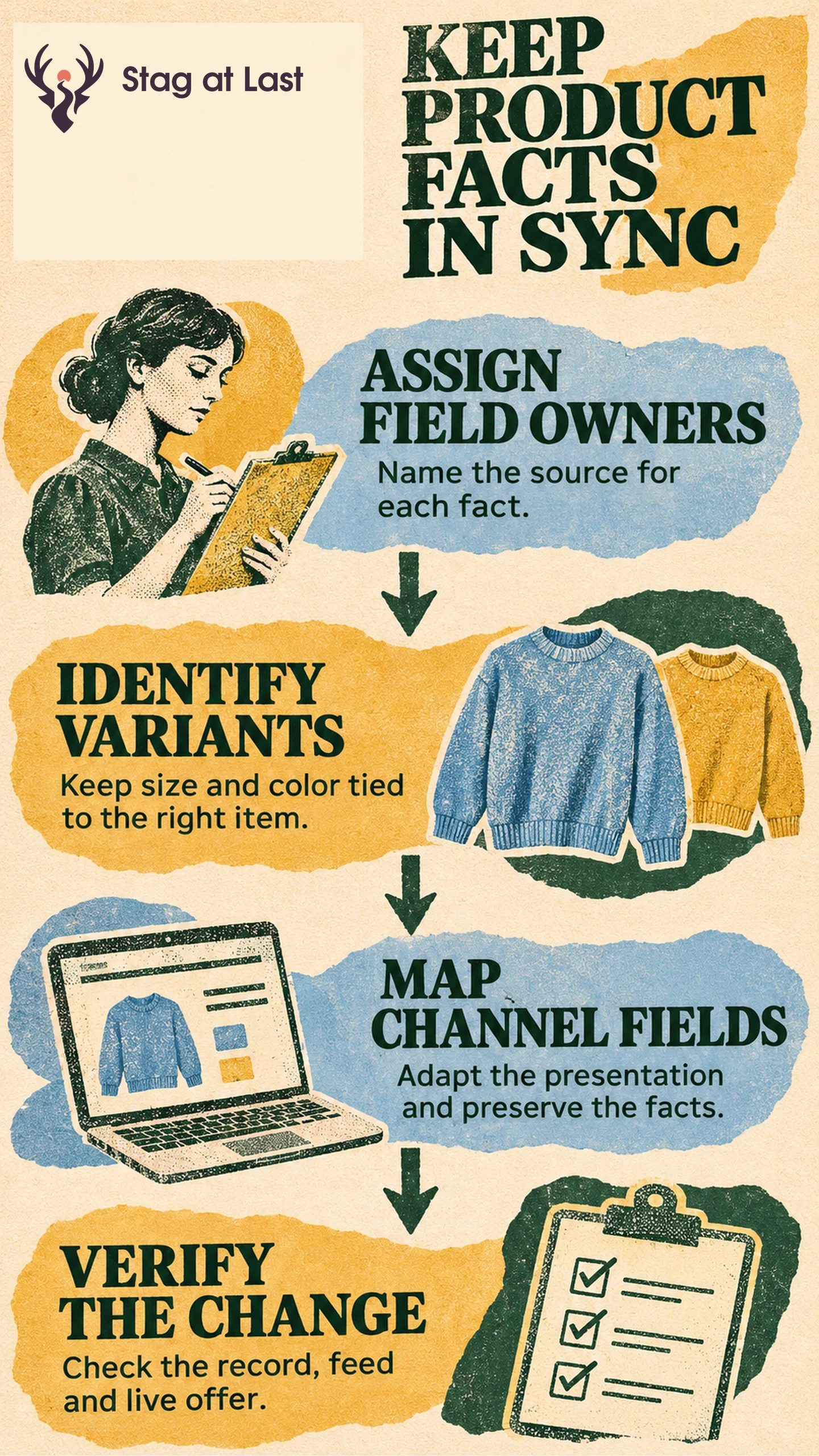
Product information management starts by giving each product fact a reliable owner. Keep shared facts consistent, map them to each channel’s fields and check the live result after every meaningful change.
- Name the authoritative source for each field.
- Define the parent product and its sellable variants.
- Map required attributes and approved overrides by channel.
- Publish one change and compare the record, feed and live offer.
Start with a small product family so you can find where information diverges.
A retailer updates a jacket’s care instructions on its website. The marketplace still shows the old instructions, and a feed points to the wrong color. Each team completed its own update, but nobody could tell which record should control each field. Product information management, often shortened to PIM, gives the team a way to answer that question and verify the result.
Decide Which System Owns Each Field
A product information management system can collect descriptions, specifications, media references and translations. The workflow also works at small scale with a controlled catalog spreadsheet. Either way, keep a field register that states who can approve a value and where it comes from.
| Field | Example authority | Channel decision |
|---|---|---|
| Material and care | Approved product specification | Localize wording with technical review |
| Variant identity | Catalog item record | Map to the destination’s item key |
| Sellable quantity | Inventory system by location | Send the quantity available to that channel |
| Current selling price | Commerce pricing rules | Resolve by market and promotion |
Marketing can revise a headline without changing the product facts. When an exception is legitimate, such as a marketplace-exclusive pack size, attach it to the correct item and channel. Assign an owner and review date so the exception does not turn into a default.
Model Variants Before Mapping Channels
Use a parent to group the range and a distinct item record for each sellable combination. A navy medium jacket and a navy large jacket can share a fabric description while having different measurements and item identifiers. Keep your stock-keeping unit (SKU), marketplace listing identifier and any applicable trade item identifier in separate fields. Do not fill a missing identifier with a made-up value.
When submitting a group of variants to Google Merchant Center, give each variant its own product ID and use a shared item group ID. [1] Google requires the group attribute for variants in free listings and for Shopping ads in its specified target countries. [1] Map your internal fields to the destination’s current requirements. For an Amazon example of how variant information is presented, see the product listing content guide.
Publish and Verify One Change End to End
Suppose a product team corrects the sleeve length for navy medium. Record the approved value, measurement method and version. Update the relevant variant, rerun its channel mappings and compare the generated fields with the previous export. Keep the last working mapping available for rollback. If the mapping fails, restore it and rebuild the export with the approved measurement. Pause the affected offer if shoppers still see inaccurate dimensions. Publish the affected item through the normal workflow, then check the destination’s diagnostics and the shopper-facing offer.
Google’s product data specification identifies conflicts between submitted data and the website as a source of Merchant Center issues. [2] If the feed is correct but the page differs, trace the landing page and selected variant. If the page is correct but the feed differs, check the mapping or any older source still overwriting it. Confirm that unaffected variants retain their correct dimensions.
Choose a PIM When the Workflow Outgrows Its Tools
Estimate how often information changes, how many people approve it and how much work it takes to reconcile destinations. A small catalog may need clearer ownership and reviews before it needs new software. A larger catalog may benefit from workflow approvals, variant modeling, locale rules and channel export controls.
Before buying a tool, replay one real change against it. Verify approval, propagation, diagnostics and recovery using a representative product family. If stores and ecommerce share stock promises, pair the catalog work with a defined channel handoff and a separate availability check.
Test the Localized Product Record on WordPress
If your catalog runs on multilingual WordPress, evaluate StagLingo on a parent product and several variants. Check that the translated pages preserve measurements, compatibility and included items.
FAQs About Product Information Management
Is a PIM the same as inventory software?
PIM maintains descriptive and technical product information. Inventory software tracks units and commitments. Decide which system owns each shared field and verify what happens when values conflict.
Should every channel use identical copy?
Keep product facts consistent. Adapt permitted wording, length, imagery and language to the destination. Document any channel-specific product or pack that buyers can actually order.
Sources
[1] Google Merchant Center. Item group ID
[2] Google Merchant Center. Product data specification