
Quick Answer: What should a retailer promise with click-and-collect?
Click-and-collect marketing promotes the option to order or reserve online and pick up at a store. Promise a pickup window for the selected item and location only when stock and staff capacity can support it.
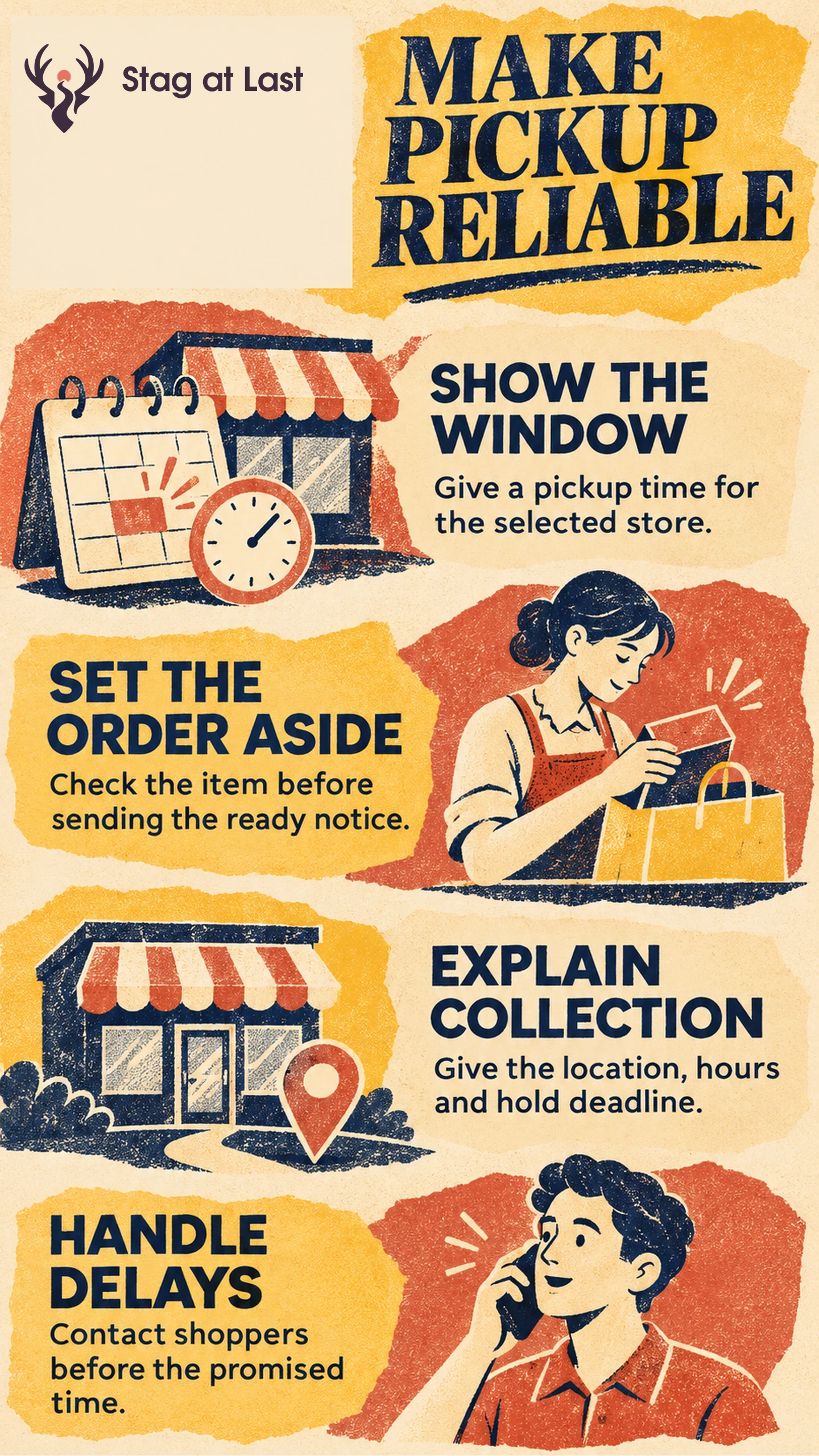
- Show the store address, ready window, order cutoff and any pickup fee before checkout.
- Reserve the item when accepting the order. Send the ready notice once a worker has checked it and set it aside.
- Give a collection deadline and contact customers early if the store will miss the promise.
Use a later date for stock that must move from another location. Tell shoppers to wait for the ready message before travelling.
A shopper orders a notebook for pickup on the way home. At checkout, they see the correct store and a promise that it will be ready by 5 p.m. Their first email confirms the order. Their second email tells them the parcel is at the collection desk. Those messages answer different questions and can save a wasted trip.
Base Availability on Stock and Staff Capacity
Estimate what can be picked at the selected location before the promised time. Subtract stock that is already committed, damaged or still in transit if it is included in the on-hand count. Use the exact variant identifier from your product record so the site and picking slip point to the same item.
Consider a store that shows four units on hand, two already reserved and one damaged. It has one saleable unit free. Once the last unit is committed at checkout, withdraw the same-day option for that variant as the new availability takes effect. If the stock feed lags or shelves regularly disagree with the count, use a buffer or pause the option until the count is reliable.
Set an order cutoff using the time staff need to pick and stage orders during busy periods. For stock transfers, show a pickup window that includes transport and time to check the delivery in. Shopify documents location-specific pickup times and an option to use a different processing time at checkout when a transfer is needed. [1]
Give Each Order Message One Job
On the product page or in checkout, confirm the chosen store, estimated ready time and how long the order will be held. The order confirmation records that the request was accepted and tells the customer to wait for the ready message.
Send the ready notice after a staff member confirms the item and puts it in the collection area. Include the pickup address, opening hours, collection desk, order reference, identification requirements if any and the hold deadline. If someone else can pick it up, explain how to nominate them.
Google Merchant Center’s Pickup today setup requires an eligible local listing or ad setup and a clear same-day or next-day timeframe, with a notification when the order is ready. [2] Its Pickup later option with in-store inventory data can cover items unavailable at the store when a later pickup promise can be met. [3] Check the programme’s conditions before adding either claim to a local retail campaign.
Handle Delays and Uncollected Orders
Set a reminder ahead of the promised ready time. When a picker cannot find the item, give a named team the responsibility to contact the customer before that time. Offer a revised window, an alternative location if available or a cancellation. Reserve any substitute only after the customer accepts it.
State the hold period and send a reminder before it ends. For an uncollected order, follow the published cancellation and refund terms. Verify the cancelled order status and the condition of the unit before releasing stock for sale. For this cross-channel handoff, store and support teams need the same current order state.
Check Reliability Before Expanding
Test checkout immediately before and after the cutoff, two carts competing for the last unit, a transfer delay and an expired hold. Only one order should be able to reserve that unit for same-day pickup. Divide orders staged and notified by the original deadline by all accepted pickup orders whose original deadlines have passed. Count store-caused cancellations as misses. Exclude orders the customer cancelled independently before the deadline and report those separately. Monitor collection and expired holds after the readiness check.
Pause promotion at locations that regularly miss pickup promises. Resolve the cause, such as delayed stock updates or too few pickers, then retest before bringing those stores back into the campaign.
Review Pickup Instructions in Each Language
If pickup instructions live on a multilingual WordPress site, try StagLingo on a small set of store pages. Check the translated cutoff, collection window and directions against the messages shoppers actually receive.
FAQs About Click-and-Collect Marketing
Can customers collect an item that is out of stock at their store?
Yes, when the retailer can transfer or ship the item to that store. Show the expected ready time and tell the customer to wait for confirmation before travelling.
What should the ready-for-pickup message include?
Include the address, collection point, hours, order reference, any identification requirements and the hold deadline. State how the customer can ask for help or nominate another collector if allowed.
Should stores advertise same-day pickup for their entire catalogue?
Limit the claim to the variants, stores and ordering hours where inventory and staffing support same-day collection. Show a later promise where stock needs to move.
Sources
[1] Shopify Help Center. Setting up pickup in store for online orders
[2] Google Merchant Center Help. Pickup today
[3] Google Merchant Center Help. Pickup later with in-store inventory data