
Quick Answer: How Do You Market a Beta Launch?
Market a beta to people who already face the problem you want to study. Give them a clear task and a safe way to try it, then use their behavior and feedback to decide what to fix or who to invite next.
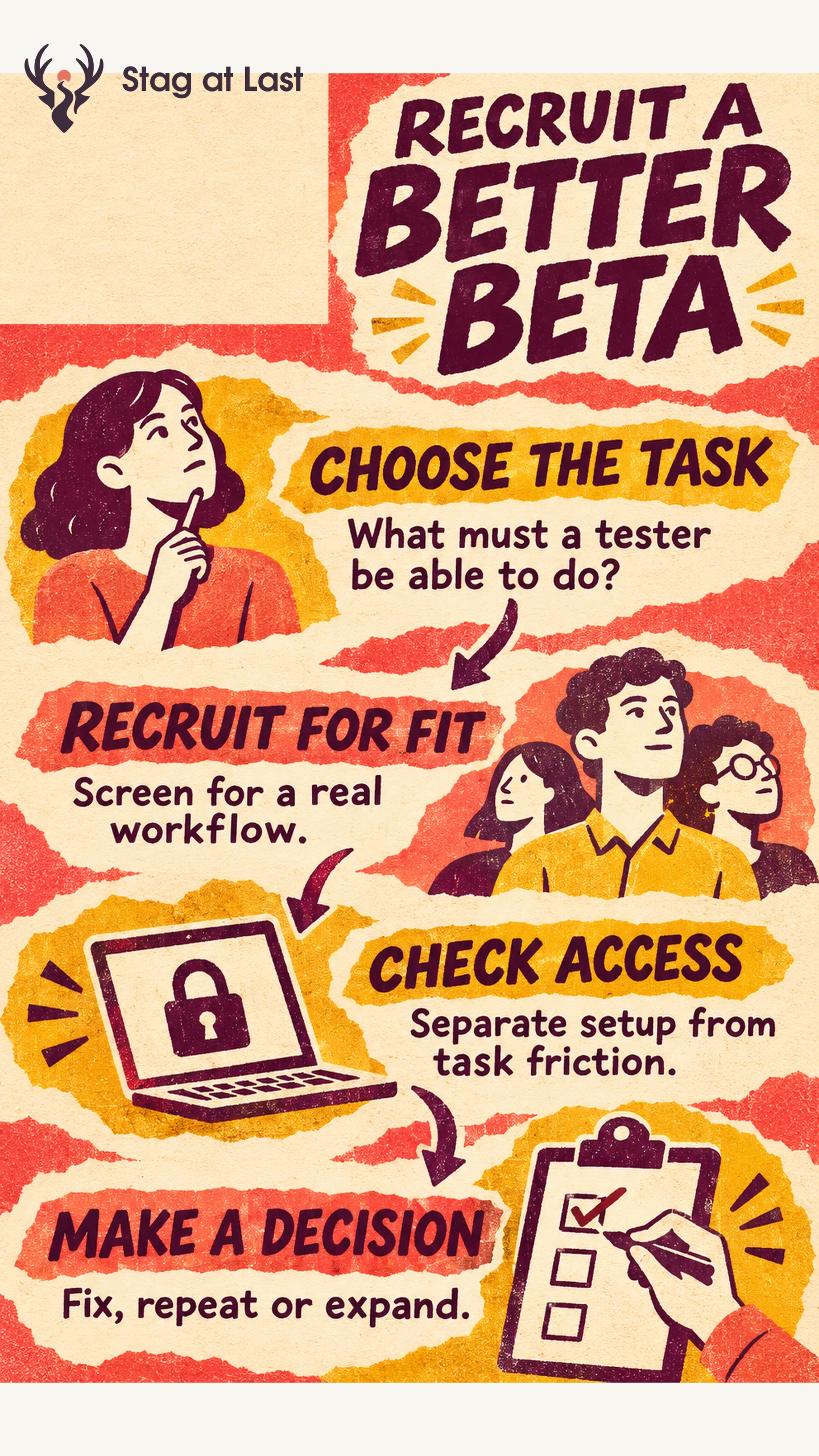
- Recruit by workflow. Ask when applicants last did the task and how they handled it.
- Set the terms. Explain what works, what can fail, what data to use and how to get help.
- Track the handoff. Separate accepted invitations, usable access and completion of the target task.
- Choose a release gate. Agree on what would make you pause, repeat the beta or expand access.
A waitlist shows interest among the people it reached. Check who actually had the opportunity to use the product before interpreting the results.
A busy beta sign-up page can hide a quiet product. Someone who wants early access may have no real occasion to use it, while a person who needs the feature may never make it past the invitation. The useful question is whether the right people can complete a real task under conditions close enough to the intended release.
Start With the Workflow You Need to Observe
Write down the user, their current workaround and the decision the beta will inform. For a reporting tool, that could be whether an operations manager can publish a weekly report from a sample file without a live walkthrough. Set the observation window long enough to include a natural chance to do the task. A weekly workflow needs a different window from a daily one.
Start with a private cohort when you need to watch onboarding, limit exposure to unfinished behavior or keep support manageable. The GOV.UK Service Manual describes inviting a limited group in private beta to gather feedback and make improvements. [1] Apply the staging principle to your own product and support capacity.
Recruit for Fit and Preserve the Cohort Mix
Use your waitlist, opted-in research contacts or relevant communities that allow recruitment. Ask applicants about a recent task, the tools they used and any constraints such as permissions, device or access needs. A short description of their current process usually gives you more to work with than a rating of how excited they are to try your product.
In a hypothetical reporting beta, regular spreadsheet users can test whether import and editing make sense on first use. Existing power users can test whether a new export preserves the fields they rely on. Track those groups separately. If every participant gets help from the account team, include an unassisted cohort before drawing conclusions about self-serve onboarding.
Set Expectations Before Giving Access
The invitation should specify who the beta is for, the workflow that is ready, the date or condition when access ends and where to report a blocker. If you provide an incentive, tie it to participation or time and describe it up front. Ask separately before reusing a quote or identifying a participant in a public announcement.
Provide sample data where possible, and explain any restrictions before a user uploads a file. List the evidence you actually need, such as task outcome, build version and the step that failed. Explain who can see submitted material, how long you plan to keep it and how participants can stop taking part. Apple documents that TestFlight feedback can include screenshots and comments. [2] Ask participants to remove private information from screenshots before submitting them.
Separate Access Problems From Product Problems
Track applicants, eligible invitees, people who received working access and people who completed the target task. When reporting task completion, state whether the denominator is everyone admitted or only people with working access and time to attempt the task. Show the stages together so an access failure stays visible.
| Observation | Check | Next move |
|---|---|---|
| Few qualified applications | Whether the offer reached people who do the workflow | Change the audience or explain the task more clearly. |
| Accepted invites without working access | Permissions, delivery and setup errors | Fix access and reopen the observation window for affected testers. |
| Working access with failed attempts | Where eligible users stopped and what they expected | Reproduce the failure and test the fix with fresh users. |
| Task completed with staff help | What staff did and whether a user could repeat it alone | Record assisted completion separately and retest the handoff. |
An interview can explain why a participant stopped. Pair that explanation with the observed step and build version. Treat feedback from a small, self-selected group as evidence about that cohort. Define the activation event before comparing cohorts, and use broader launch metrics when distribution expands.
Decide Whether to Fix, Repeat or Expand
Pause new invitations for serious issues such as data loss or a broken exit path. Repeat the wave if access errors or the wrong cohort left you with too little evidence. Expand to the next eligible group when people can complete the intended task under the planned level of support and the team can handle another wave.
Close the loop with a short update to participants. Say what changed, when access ends and whether they need to export anything. Record the cohort, task, biggest blocker and next decision before sending another invitation.
Check the Beta Invitation in Each Language
If a multilingual WordPress site hosts your beta application, evaluate StagLingo on the invitation and participation pages. Check whether readers in each language can find the eligibility rules and the right support contact.
FAQs About Beta Launch Marketing
Should you use a private or public beta?
Start with a private beta when the workflow is still changing or the support team needs to observe each participant closely. Consider public access when a wider audience can get started safely and the team can handle issues without close supervision.
How many beta users should you recruit?
Set a cohort size your team can support, then recruit for the distinct workflows and constraints you need to observe. If you want a stable estimate of a completion rate, plan the sample separately from an exploratory round.
What should you tell applicants who are not selected?
Confirm that applying and getting access are separate steps. If someone qualifies for a future wave, give a realistic update window and explain whether you will keep their details for that purpose.
Sources
[1] GOV.UK Service Manual. How the Beta Phase Works
[2] Apple Developer. View Tester Feedback