
Quick Answer: Which website trust signals can customers actually verify?
A useful website trust signal answers a buyer’s concern with evidence they can check. Show who stands behind the claim, what the evidence covers and how to verify it.
- Link certifications to the issuer or verification instructions.
- Place exact terms where cost, delivery or returns affect a decision.
- Attribute customer evidence and preserve its context.
- Revisit each claim when its scope, source or expiration changes.
Use the existing evidence as the limit of what the website promises.
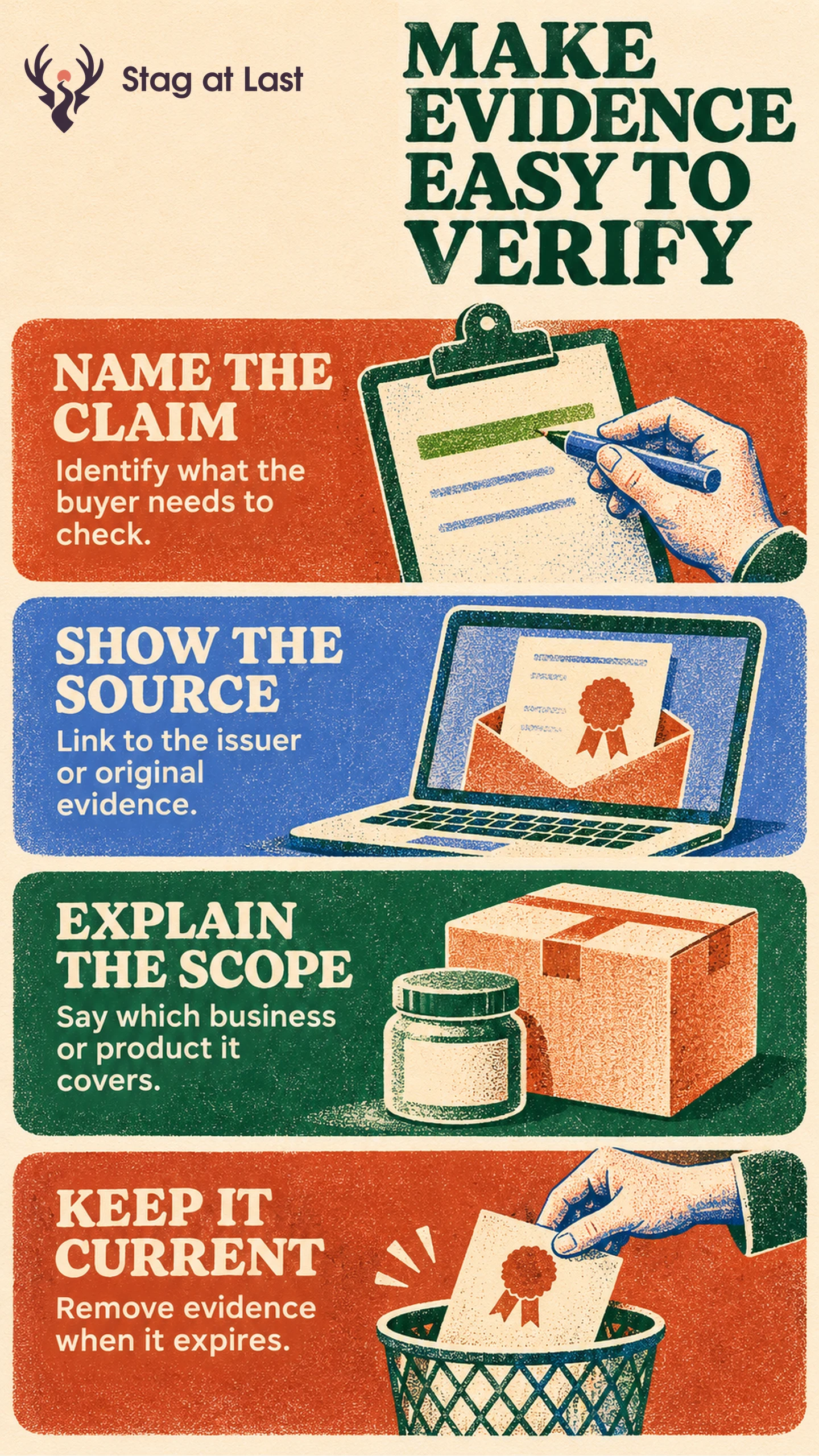
A prospective buyer sees a certification icon on a supplier’s website. They still need to know which organization was certified, which site the certificate covers and whether it is current. A decorative seal adds little when those questions remain unanswered.
Name the Risk the Buyer Is Checking
Find the point where the visitor needs confidence to continue. On a contact page, they may need to confirm that a real team can answer. At checkout, they may need to verify a delivery cost or return condition. On a supplier page, they may need to check that a credential applies to the facility they intend to use.
Stanford’s web credibility guidelines recommend making claims easy to verify through sources or references. [1] Apply that principle to the decision in front of the buyer. A contact page with useful routes gives visitors a way to reach the right team. A clear return policy can answer a purchase question more directly than a promise that shopping is risk free.
Match the Proof to the Exact Claim
For a certification, show the issuer, covered organization, scope and expiration if it is relevant. Link to an issuer record or provide a reference and lookup instructions. For an award, identify the category and year. For a customer result, use permitted and contextualized evidence that explains who achieved it under what conditions.
Consider a hypothetical supplier with a certificate covering one warehouse. Its page can identify the covered address and link to the verification record. A sitewide “all facilities certified” claim would need separate evidence for the other sites. Apply the same test to partner logos and payments: showing a familiar brand does not explain what relationship or protection exists.
Baymard’s checkout research distinguishes what looks secure to customers from the technical protection in use. [2] Have the checkout owner verify which provider handles each payment method and whether any advertised protection applies to that method. On the page, explain who processes the payment and link to the relevant terms where the visitor can verify them.
Place and Maintain the Evidence
Put supporting details beside the claim they explain. Near the purchase action, give an accessible route to delivery charges and timing. Near a credential, show its scope and verification link. Long documents can sit on a separate page as long as shoppers can see essential conditions before committing.
Maintain a simple record with the public claim, evidence location, owner, reviewed date and next review date. Assign the owner to replace or withdraw it when the source changes. Check every page that repeats the claim so old assets do not stay live in a footer or campaign variant.
Test What Customers Can Verify
Give a buyer a real task, such as checking whether returns apply to the item they want or identifying the warehouse that would fulfil an order and checking that the issuer lists a current certificate for that location. Ask them to show which information supports their answer. If they can locate the logo but cannot verify the relevant claim, improve the evidence and its placement.
Review Evidence Across Website Languages
If you publish WordPress pages in several languages, evaluate StagLingo on a few representative pages. Check that issuer names, scope, dates and verification links match the approved claim.
FAQs About Website Trust Signals
Does a trust badge prove a checkout is secure?
A badge can affect how a checkout looks. Verify technical protection through the site and payment systems, and explain verifiable claims in plain language.
Do certifications belong on every page?
Show them where the scope matters to a decision. Include a clear link to the full record instead of repeating an unexplained symbol everywhere.
Can a small business show trust without major customer logos?
Yes. Show accurate contact routes, product details, published terms and relevant samples. Make each claim easy for a customer to check.
Sources
[1] Stanford Persuasive Technology Lab. Stanford Guidelines for Web Credibility
[2] Baymard Institute. How Users Perceive Security During the Checkout Flow