
Quick Answer: How should a retailer link in-store purchases to online customer records?
Link a store purchase to an ecommerce customer record when it serves a clear purpose, such as showing the order in the customer’s account. Verify the account, preserve a guest checkout option and keep marketing preferences separate.
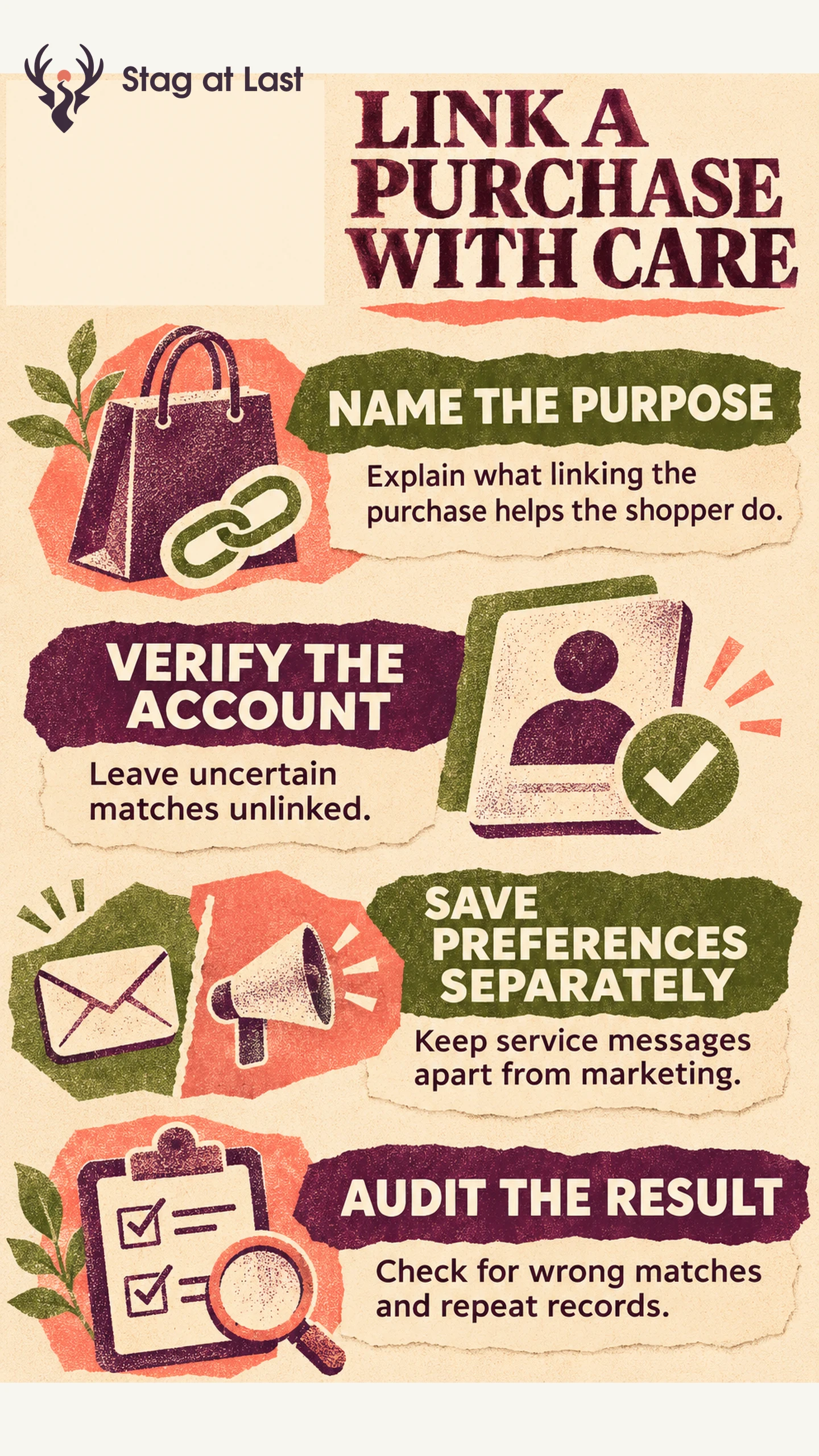
- Explain the benefit before asking for account details.
- Link the order through a verified account identifier and leave uncertain matches unlinked.
- Confirm the order appears once and the customer’s communication preferences remain correct.
Keep normal receipt and return options available to shoppers who choose to stay guests.
A shopper buys a coffee maker in a store, then signs in to the retailer’s website to find their receipt. For that to work, the store purchase must belong to the right account and appear only once. The customer may also want an email receipt without receiving promotional messages. Each decision needs its own record.
Choose a Purpose Before Collecting Details
Start with one customer task that crosses channels. For purchase history, explain at checkout that the order can be added to the shopper’s account. Show staff how to continue as a guest and how a guest can use their receipt for support or returns.
List what the service needs. A stable account ID, order ID, store, date, items and order status may be enough for purchase history. Restrict access to the people and systems that maintain the service. Decide how long to keep any temporary matching records and who can correct a bad link.
Match the Order to a Verified Account
Use a verified identifier, such as a short-lived code generated inside a signed-in account. Confirm that the person wants to use that account for the purchase. Shopify POS, for example, lets staff attach an existing or new customer profile to a cart. [1] The integration still needs a way to establish that the profile belongs to the shopper.
Use the order ID together with its source system to stop a retried sync from creating a second record. Record the match method, and send uncertain cases for verification or leave them unlinked. Shared family emails, mistyped details and two people with the same name can all lead to the wrong order history.
Create a process for removing a link if the wrong account receives an order. Correct the source record so the next sync cannot recreate the match. Stop any messages or audiences driven by the link and check whether another account could view the order or received a message. Route any exposure through the retailer’s privacy incident process. If the retailer only needs a receipt lookup, review how much integration that task requires before building a permanent customer profile.
Carry Marketing Preferences Across Systems
Maintain the receipt destination, account link and marketing status as separate fields. Shopify POS allows staff with the right permissions to edit email and SMS marketing preferences. [2] Test each channel independently so a change to email does not overwrite a customer’s SMS choice.
Record the source and time of preference changes and propagate opt-outs to systems that send campaigns. When the latest record is unclear, hold promotional sends while the records are reconciled. The UK’s Information Commissioner’s Office explains requirements for electronic mail marketing under UK rules, including consent and limited exceptions. [3] Check the rules that apply where you operate.
Audit Data Quality and Business Results
Pilot the workflow in a small store group. Report the share of completed store orders linked to verified accounts, and audit a sample of linked orders for wrong matches. Track duplicate purchases, unresolved claims and time spent at checkout. Review any mistaken links promptly. A rising linkage rate can hide a growing error rate.
For purchase history, divide successful unassisted lookups by all test attempts from verified shoppers looking for an eligible order. Count missing, duplicated and incorrect orders as failures. If your objective is repeat sales, define the customer cohort and time window before launch. Compare similar eligible groups where possible. Shoppers who already identify themselves at checkout may buy more often, so their higher repeat rate alone cannot establish that linking caused it.
Review Account and Receipt Language
If your WordPress site explains purchase history or loyalty settings in multiple languages, try StagLingo on those help pages. Check that the translated descriptions agree with the choices shoppers see at checkout.
FAQs About Connecting Store and Ecommerce Customer Data
Should every store purchase have a customer profile?
No. Match the order when a defined service needs it and the customer can verify the account. Keep a guest route for ordinary purchases and receipt-based service.
Does an email receipt add someone to the marketing list?
A receipt request records where to send that receipt. Evaluate eligibility for promotional messages separately under the rules that apply to the business and channel.
How should staff handle two possible customer matches?
Ask the shopper to verify which account to use. If they cannot verify one, complete the transaction as a guest and provide a verified claim route if the business offers one.
Sources
[1] Shopify Help Center. Adding a customer profile to the cart
[2] Shopify Help Center. Editing a customer profile on Shopify POS
[3] Information Commissioner’s Office. Guidance on direct marketing using electronic mail