
Quick Answer: How can you find accessibility barriers in conversion paths?
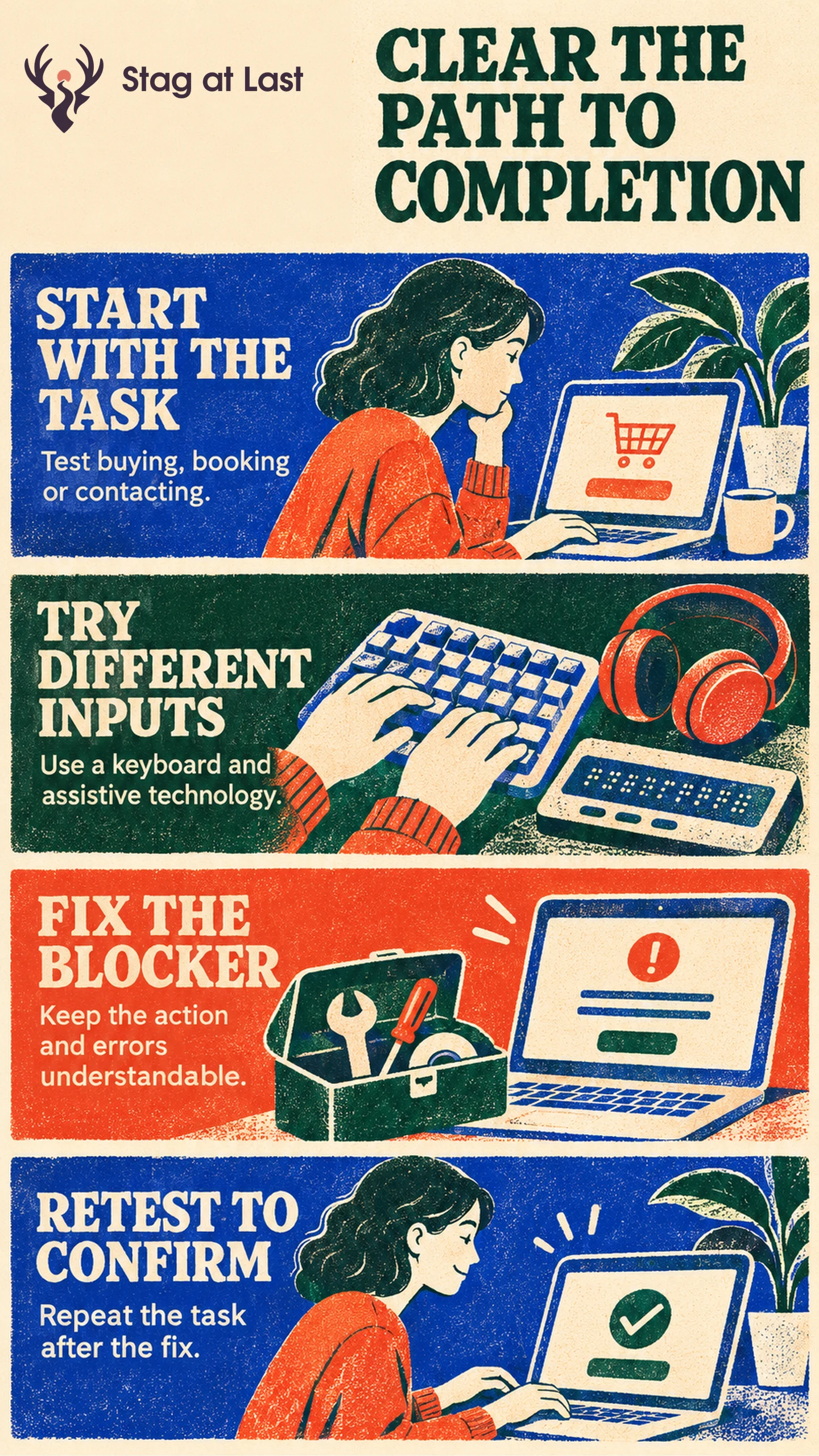
Test whether a visitor can complete an essential task using a keyboard, assistive technology and a narrow or enlarged view. Fix barriers in the real journey, then repeat the task from entry through confirmation.
- Choose a purchase, booking or enquiry that matters.
- Check each control, including third-party steps.
- Trigger an error and check whether the visitor can recover.
- Verify the same task after fixing the barrier.
Use sales data to understand business outcomes. Use accessible task tests to see where and why people get blocked.
A customer can read a product page and still be unable to reach its size selector or submit the checkout form. The issue may disappear from aggregate analytics if they leave quietly. A practical accessibility review starts with the task the customer came to complete.
Start With the Essential Task
Choose realistic tasks with a clear finish, such as choosing an available size, checking the delivered cost and completing a test order. Include steps hosted by another service, such as scheduling, verification or payment. Write down the starting device, browser and required information so someone can reproduce the issue.
Navigate with a keyboard, check an enlarged view and try relevant assistive technology. Include people who use those tools in everyday life when feasible. An automated scan can flag some issues, while a task review helps locate a step a person cannot complete.
Check Controls, Focus and Feedback
WCAG 2.2’s keyboard criterion requires functionality to be operable through a keyboard interface without specific keystroke timing, except when the underlying function depends on movement along a path. [1] Check the controls in order, including inline choices and modal dismissal.
A WCAG 2.2 focus criterion addresses focused elements entirely hidden by page content. Sticky headers, footers and dialogs can cause that problem. [2] As an illustrative checkout case, a chat launcher might fully cover the focused delivery option at a small width. Tab through the real page to see whether the control and focus can be seen and used.
Check that users can read labels, reach corrections and understand whether an action succeeded. Assess verification and its fallback when it blocks a task. Test that promotional overlays can be dismissed and that keyboard focus returns to an appropriate place afterward.
Fix the Barrier and Retest the Journey
Record the exact step, what the person tried, what happened and what they should have been able to do. Assign an owner. Fix the blocker with the smallest safe change, such as moving a covering widget or using a supported native control. Confirm the fix does not introduce new problems elsewhere in the same template.
Repeat the full task, including errors and confirmation. If a payment provider or another vendor controls a blocker, use its escalation process and provide a working alternate route where feasible. The original task should still reach a genuine completed state.
Measure Access and Business Outcomes Separately
Record correct, unassisted completions out of all valid test attempts, along with the barriers and devices observed. Unassisted means without facilitator help. Let participants use their usual assistive technology through error recovery and verified confirmation. Report assisted outcomes separately. Compare business outcomes for relevant flows over a consistent period, but treat changes after a fix as observational unless a design supports stronger inference.
Resolve verified barriers even when traffic is too low to measure a change in purchases. Use the task record to show that previously blocked steps now work and maintain that check for future updates.
Check Essential Tasks Across Languages
If customers use your WordPress site in different languages, try StagLingo on a small set of pages. Check the labels, error instructions and complete journey with the same accessibility tests in each version.
FAQs About Accessibility and Conversion
Can an automated accessibility scan replace a task test?
No. Use scans to locate common technical issues. Verify manually that customers can find controls, correct errors and complete the real task.
Should you test checkout and product pages separately?
Test each page and the full journey. A functioning product selector does not establish that the checkout handoff or external payment step is accessible.
Can aggregate conversion data reveal an accessibility barrier?
It can show the stage where outcomes changed, but it cannot identify the reason by itself. Combine analytics with direct task tests and feedback.
Sources
[1] W3C Web Accessibility Initiative. Understanding Success Criterion 2.1.1: Keyboard
[2] W3C Web Accessibility Initiative. Understanding Success Criterion 2.4.11: Focus Not Obscured (Minimum)