Import panel
Shows validation, protected-field, backup, transaction, rollback, storage read-back, and front-end verification messages for the current queue.

StagLingo separates durable writes, file-level results, private backups, environment diagnostics, and front-end verification. Read the right evidence first, then decide whether to resume, correct the package, clear a cache, or ask for support.
A front-end mismatch is not automatically a failed database write, and a successful write is not automatically a complete publishing review. Keep storage evidence and visitor-visible evidence separate.
Shows validation, protected-field, backup, transaction, rollback, storage read-back, and front-end verification messages for the current queue.
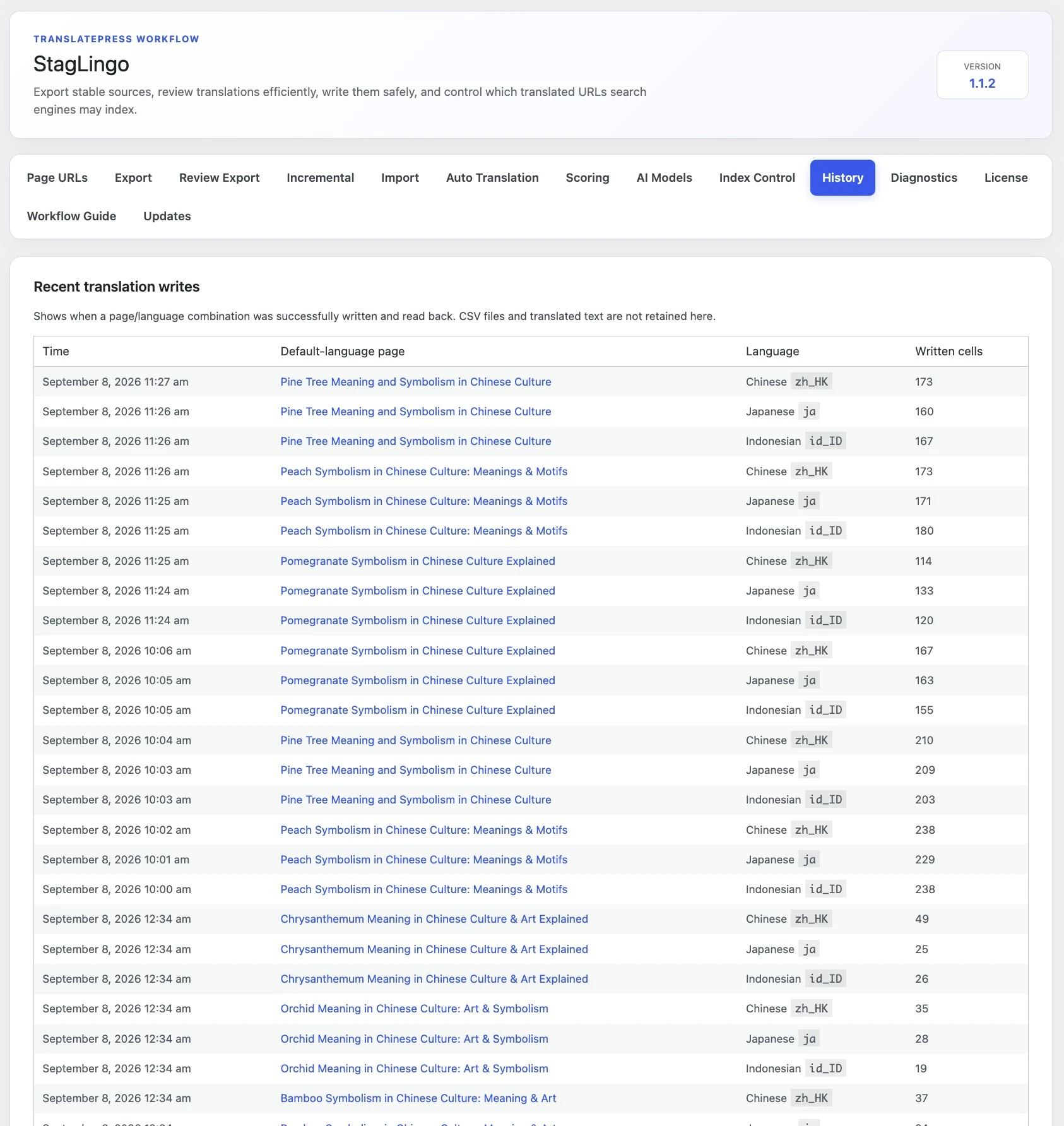
Shows successful page-language writes plus persistent file status and rollback diagnostics. It does not retain translated copy in the History table.
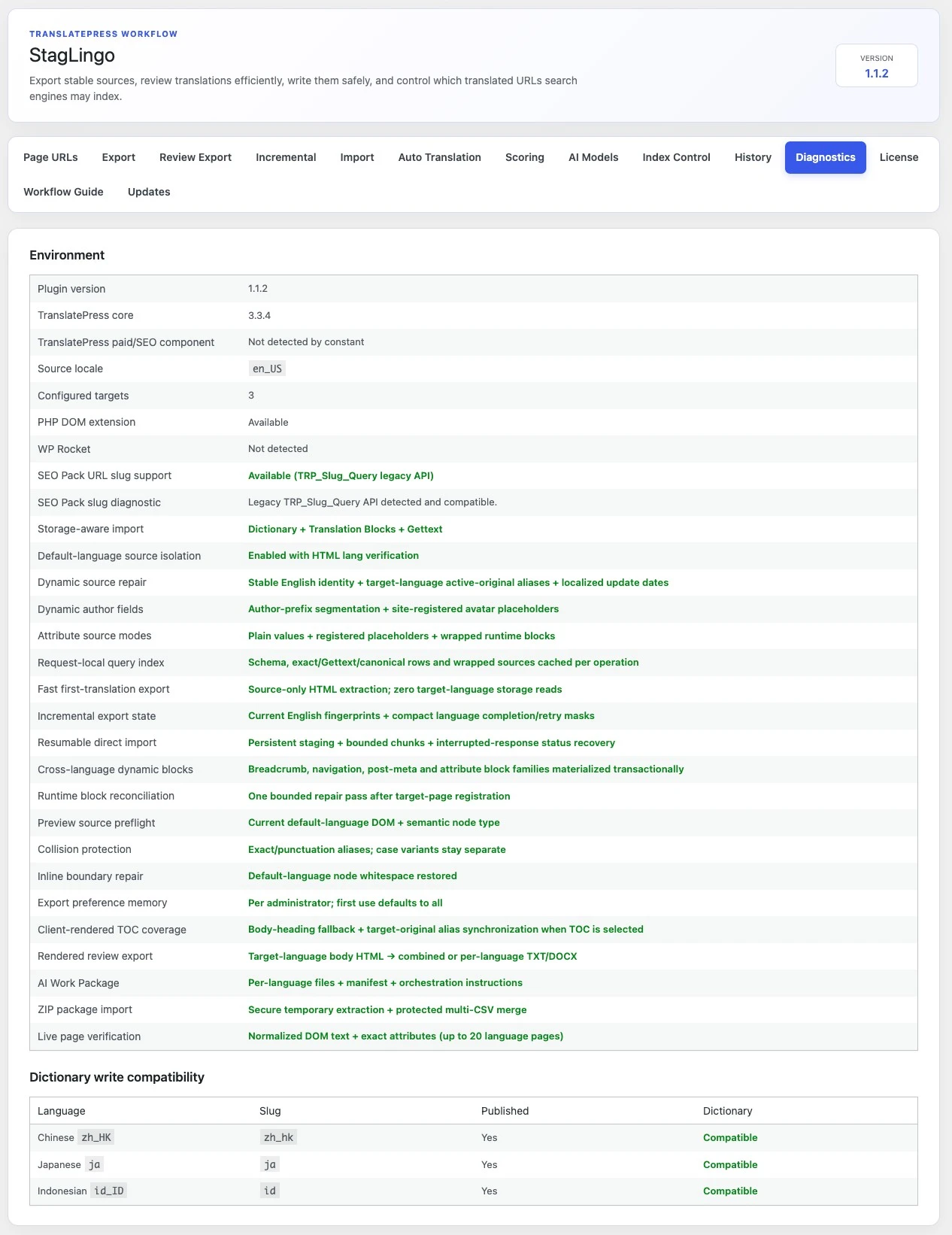
Shows plugin and TranslatePress versions, locales, dictionary compatibility, URL-slug support, and the safeguards available in the running installation.
The History tab separates successful page-language writes from file-level processing records. Use it after a refresh, interrupted connection, plugin deactivation, or in-place update.
These are related safeguards, but they are not the same thing. A transaction can roll back a failed cell automatically. The downloadable backup preserves the prior storage values for investigation or controlled recovery.
The backup records the affected storage type, content type, language, row or post identity, original source, previous translation, previous status, block type, and backup time.
Backups are stored in a protected upload directory, use restrictive file permissions where supported, and are downloaded through an authorized WordPress admin action.
StagLingo retains the latest 20 backup records and removes older backup files as the limit is exceeded. Download a backup promptly when an incident may require later analysis.
Standard/resumable imports persist staged files and chunk progress so the browser can recover server-side status. Check for saved work before uploading the same package again.
If the network response is interrupted, allow the import screen to query the saved server job instead of immediately starting a duplicate run.
Incomplete protected jobs can survive refreshes, network interruptions, and in-place plugin upgrades for up to 48 hours.
Files that completed durable chunks can already have successful page-language entries even when a later file stopped.
Clear import records removes current results, failed or idle jobs, and temporary staged files. It does not undo translations or clear History.
Diagnostics reports the active plugin and TranslatePress environment plus per-language write compatibility. Capture it before changing plugins, language settings, or caches so support can compare the failing state.
StagLingo, TranslatePress, source locale, and configured targets.
PHP DOM, URL-slug API, and dictionary compatibility.
Storage-aware imports, read-back, collision protection, and resumable jobs.
Language slug, published status, and dictionary write result.
The safest response depends on whether StagLingo rejected the package before writing, rolled back a write, lost the browser response, or stored the translation but could not confirm it on the immediate front-end request.
Do not remove or rewrite identity columns to force a match.
This category requires action and must not be ignored.
If storage read-back succeeded, clear site/CDN caches and inspect the actual target-language URL in a private window.
Do not assume nothing was written and do not start a duplicate queue immediately.
Never use a correct-looking front end to dismiss a failed transaction or storage read-back. Conversely, do not overwrite proven storage solely because a dynamic block was absent from one automated request.
| Result or message | What it means | Next action |
|---|---|---|
| Successful write in History | The page-language group was written and read back from storage. | Inspect the live language URL and continue the publishing review. |
| Validation / protected-field error | The proposed row did not pass package identity or safety checks. | Correct or freshly export the package; do not edit protected identity fields. |
| Rolled back / storage read-back failed | The write could not be proven durable across the required storage aliases. | Save the backup and error report, inspect Diagnostics, and resolve the cause before retrying. |
stored_but_frontend_unconfirmed | Storage succeeded, but the immediate request did not find the expected visitor-visible value. | Clear caches and inspect the real target URL. Dynamic or unrelated content may explain the warning. |
| Saved import available | An incomplete protected job remains within the resumable window. | Resume the saved import instead of uploading a duplicate package. |
| No current result after full success | Successful staging data may have been cleaned up after completion. | Use History and the live page as the lasting record. |
For a support case, include the failed filename, target locale, exact error text, relevant History entry, Diagnostics state, and whether the live page reproduces the problem.