Edited translated pages
Reopen only the affected identities after the English page changes while protecting cells already known to be complete.

Track the known translated state of published pages, isolate new, changed, failed, or front-end-unconfirmed identities, and translate later updates without rebuilding every completed language cell.
Incremental is a Premium maintenance workflow. It is not a shortcut for an untranslated page or language. The system needs a trustworthy completed state before it can identify only the work that remains.
Reopen only the affected identities after the English page changes while protecting cells already known to be complete.
StagLingo stores current English fingerprints plus per-language completion and retry bits—not full source text, translations, or permanent revision history.
New, changed, missing, failed, or front-end-unconfirmed cells are exported for selected languages. Completed cells use /.
If a page or language has never been translated, begin with the normal manual or automatic translation workflow.
A save marks tracked work for scanning. If the resulting English identities are unchanged, the later scan can return the page to a clean state.
Incremental focuses on current-page content. Global templates, navigation, and rotating shared components require a regular full Export.
The correct setup depends on whether the current site is already fully translated in the languages you select. Do not treat these two routes as interchangeable.
Use this route only when every currently scanned identity is already translated in each selected language.
Let inventory finish, but do not baseline pages or languages with missing translations.
It declares every currently scanned identity complete in the selected languages. A false baseline can suppress work that is still missing. Never baseline a language or page simply to make the Dirty count disappear.
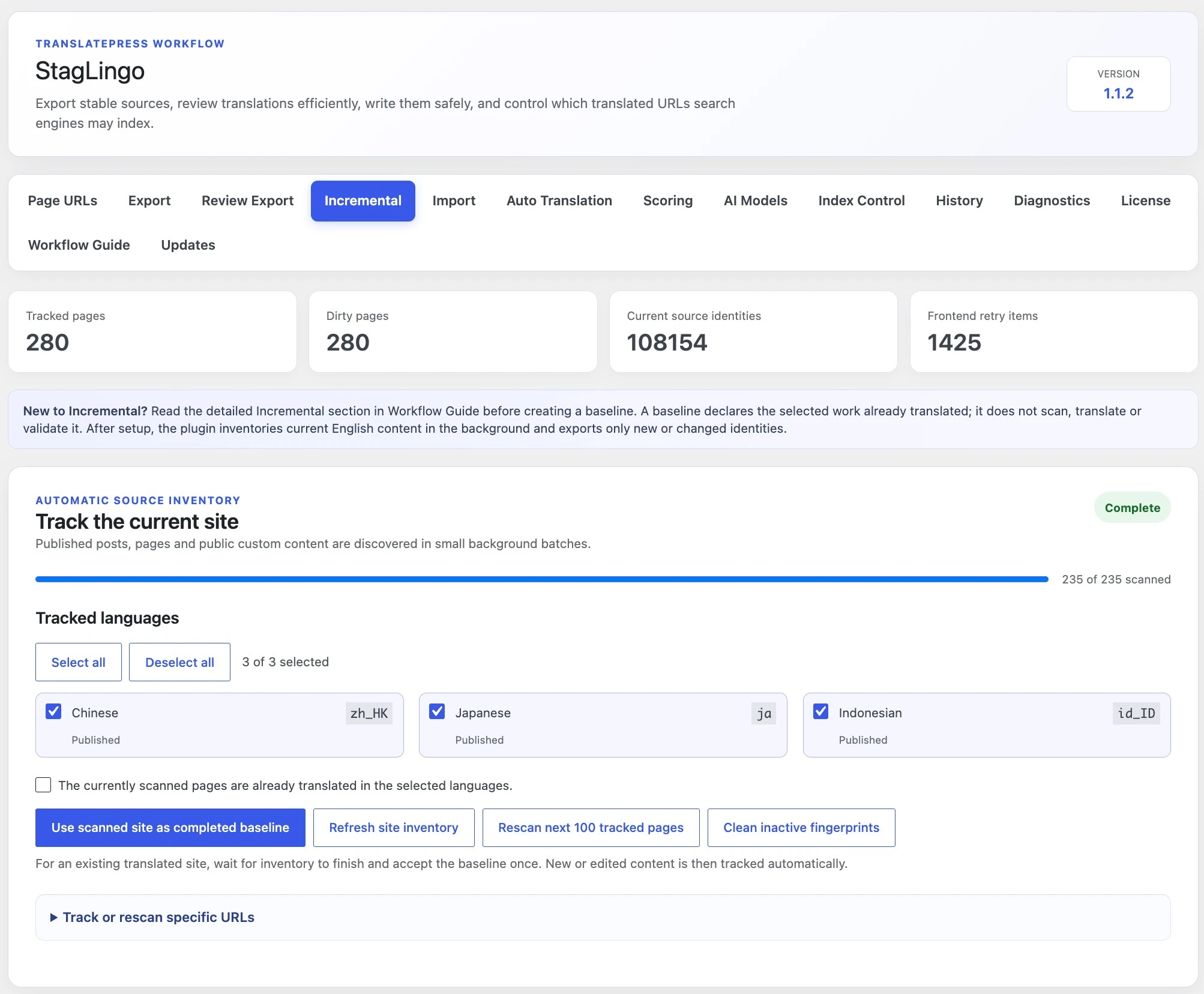
Open Tools → StagLingo → Incremental. The inventory discovers
published posts, pages, and public custom content in resumable background
batches of 10 items.
Select the target languages you want Incremental to track.
Select Refresh site inventory to start or restart discovery.
Wait until the progress card reports Complete. Review any item that needs attention.
If the whole scanned site is already translated, tick the confirmation and select Use scanned site as completed baseline.
For a translated subset, open the specific-URL controls and use Baseline entered pages only for that verified subset.
Use Scan entered pages when you only need refreshed fingerprints and do not want to declare them translated.
After a trustworthy completed state exists, StagLingo turns ordinary source updates into a small maintenance queue. The page remains dirty only where a selected language still needs attention.
A published tracked post is marked for scanning. Newly published public content is added to tracking for configured target languages.
The scan is scheduled after the save so Elementor, metadata, and caches can settle. A merely unchanged save can become clean again.
Choose the next dirty batch or specific pages, select languages, and export only identities still pending for those selections.
Process the package, import the returned ZIP, and let protected write plus exact storage read-back update completion state.
Under Export pending changes, the default scope is the next dirty batch of up to 100 tracked pages. You can instead enter specific page URLs or published content IDs.
Choose Next dirty batch or Specific pages.
Select only the target languages required for this maintenance round.
Keep AI Work Package ZIP unless you deliberately need a standard CSV layout.
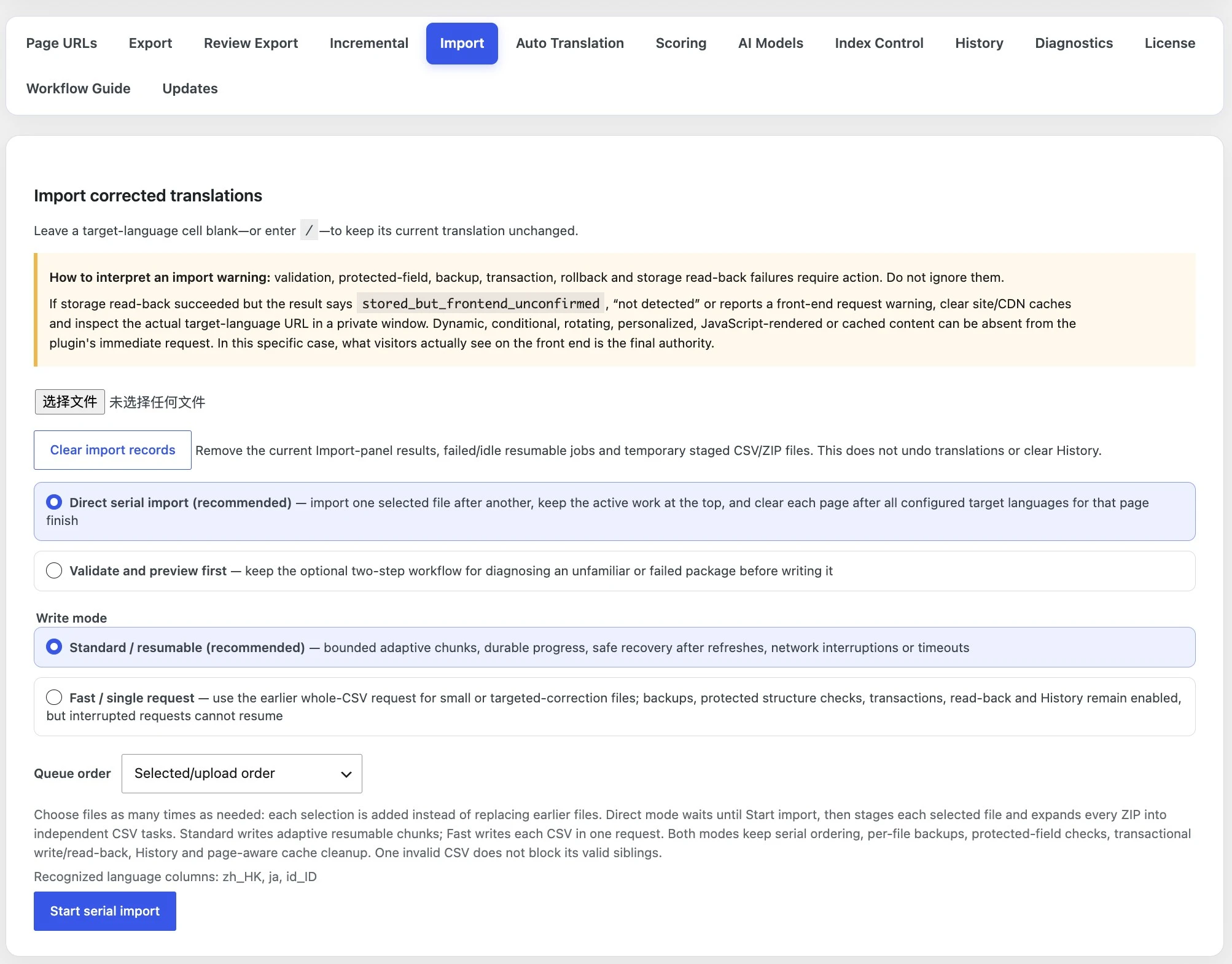
Process the complete package with the reusable translation Skill. Do not replace / cells.
Upload the reviewed ZIP through Import and allow validation, backup, transactional write, and exact read-back to finish.
Verify the actual target-language page after relevant cache clearing.
The Incremental summary describes tracking and completion state. It does not judge whether a human translation is linguistically excellent or whether an unverified baseline was truthful.
Published pages currently known to the Incremental inventory.
Pages that may contain incomplete or retrying identities for at least one selected language.
Active page-owned translation units found in the latest successful scans.
Conservative flags retained after a live-page check could not confirm an imported item.
Navigation or Elementor template saves conservatively mark tracked pages dirty, but Incremental remains page-owned. A dirty marker does not make the current page extraction a complete inventory of every global component.
Use the pending package when the change belongs to the current page and can be identified through its current rendered source.
Choose the complete export workflow when a broadly reused or rotating component changes across many pages.
Continue with content discovery, full export, or troubleshooting depending on whether the next task is selecting pages, translating shared content, or investigating a pending result.